Assess
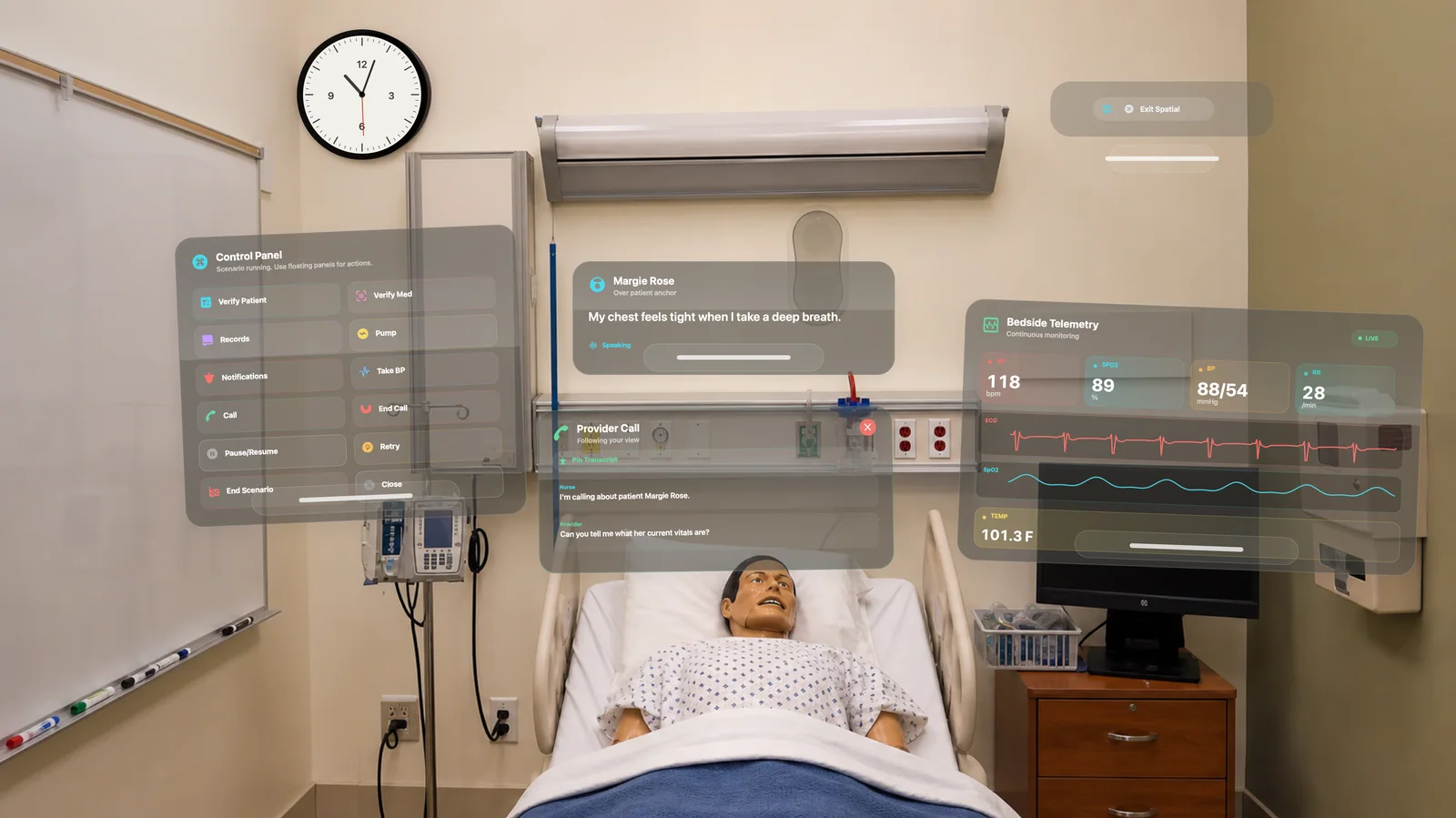
Use the real room, the real equipment, and spatial overlays for patient data, cues, and changing vital signs.

Apple Vision Pro + Bedside Coach
Bedside Coach brings clinical simulation into visionOS, combining the flexibility of virtual training with the realism of hands-on bedside practice.
Learners see digital patient conversations, live vital sign changes, clinical records, alerts, and coaching overlays around the real simulation space while still performing the actual skills expected at the bedside.
On Apple Vision Pro, arrange spatial monitoring, patient records, and simulated infusion controls around your practice workspace. The native Apple Vision Pro app requires visionOS 26.4 or later.
Why Spatial Simulation Matters
Traditional VR can separate learners from physical bedside tasks. High-fidelity simulation preserves hands-on practice, but it can be resource intensive and limited by the physical setup available.
Bedside Coach on Apple Vision Pro layers digital patient conversations, live vitals, records, alerts, and coaching over a real simulation space so learners still assess, scan, verify, communicate, and act with their own hands.
The Best Of Virtual Simulation
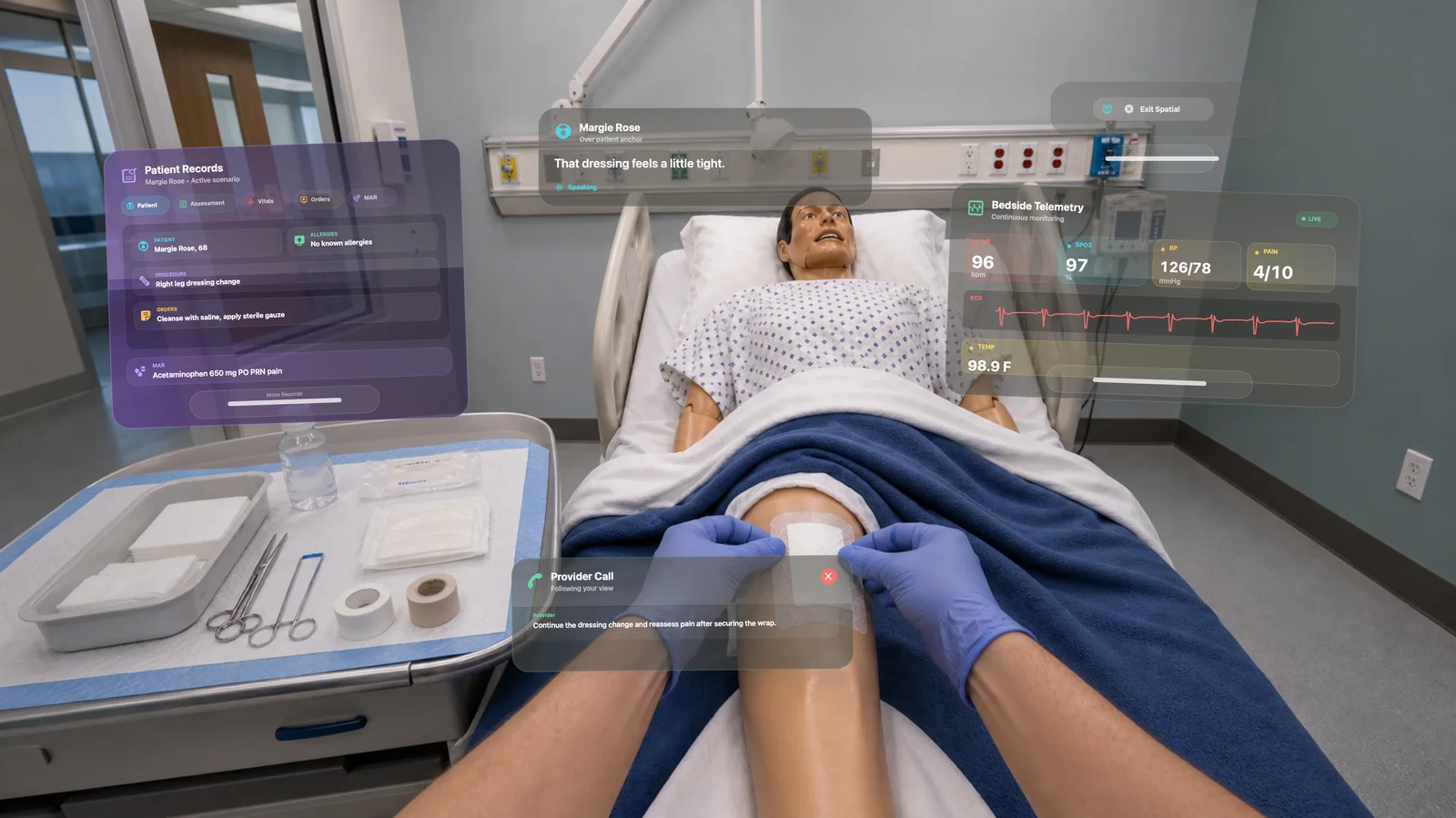
Bedside Coach adds the intelligence and adaptability of software to the room, so scenarios can guide, measure, and adapt while learners stay grounded in clinical action.
The Best Of High-Fidelity Simulation
Unlike fully virtual training, Bedside Coach keeps learners grounded in real clinical action. They still have to move through the room, manage equipment, perform assessments, communicate clearly, verify medications, and respond to changing conditions.
Apple Vision Pro becomes a clinical layer over the room, not a replacement for it.
Spatial Simulation For Real Clinical Judgment
Learners get the pressure, timing, and complexity of a real clinical encounter while instructors get a flexible platform that can guide, measure, and adapt the scenario in real time.
Use the real room, the real equipment, and spatial overlays for patient data, cues, and changing vital signs.
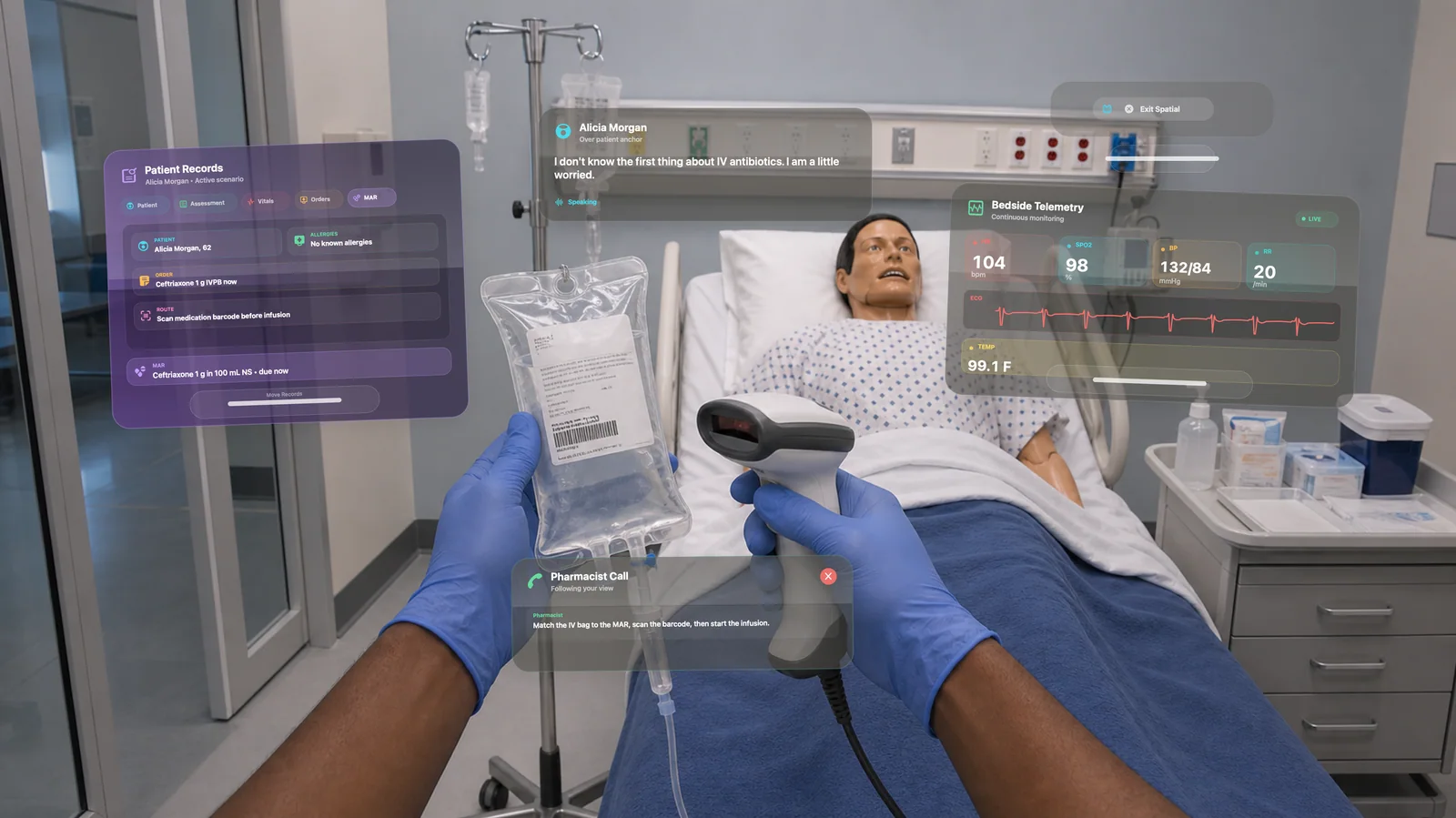
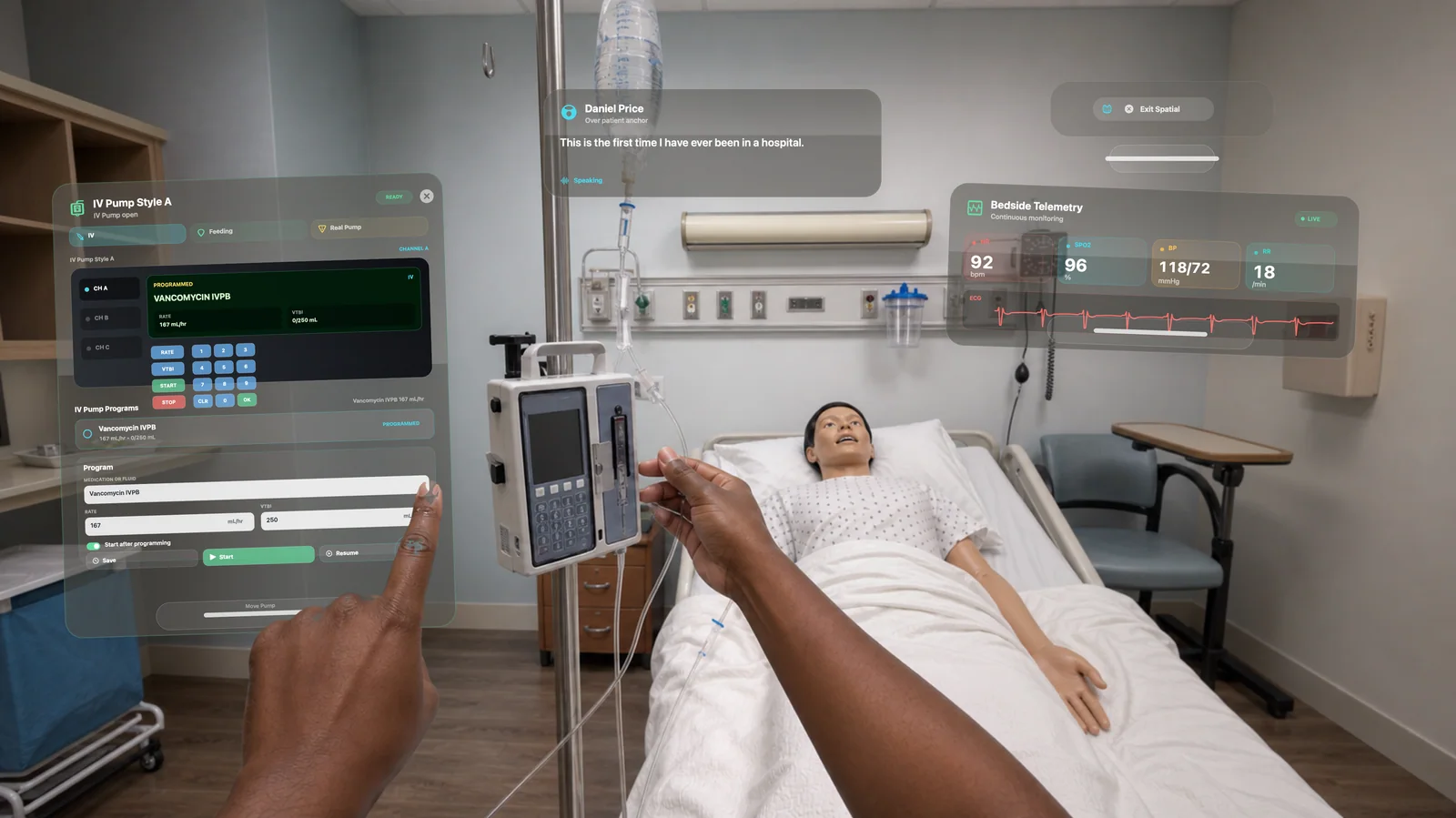
Practice scanning, medication verification, pump programming, patient communication, and hands-on bedside workflows.
Use performance tracking, coaching feedback, and structured debriefing to turn the scenario into measurable growth.
Medication + Device Workflow
visionOS keeps medication information, orders, alerts, and coaching close to the action while learners still perform the steps with their own hands.
Remote Demos
Because spatial simulation is best experienced in person, remote demos focus on workflow, reports, case design, and implementation planning. In-person or recorded Vision Pro experiences are available for simulation-focused conversations.
Where It Fits
Practice clinical judgment in motion, with the digital patient context around you and the physical room still demanding real bedside behaviors.
Add adaptable scenario intelligence to appropriate practice spaces without losing hands-on assessment, medication, equipment, and communication workflows.
Spatial Clinical Practice
Bedside Coach for Apple Vision Pro helps learners practice the moment: what to notice, what to say, what to do, and how to adapt when patient needs change.
Optional curriculum integration
Bedside Coach, ChartSlate, and Sibyl Sim are free to use. No engagement is required to use the apps. If you'd like help tying them into your curriculum or building assignments with your faculty, you can engage Brandon for a day, a week, or a month.
See ways to work togetherSee how each app supports practice of common competencies
Or email domingueznursing@gmail.com.
Please do not include patient information, student records, or other confidential material in your message.