See the patient clearly
Start with handoff, chart review, vitals, orders, and evolving clues that shape your priorities.

How It Works
Bedside Coach walks learners through the real care process: role and scope selection, handoff, assessment, intervention, medication administration, reassessment, escalation, prioritization, and debrief.
For simulation educators, Debrief Coaching can also review faculty-led debriefs after the room clears, giving private facilitation feedback without interrupting the learner experience.
Therapeutic communication is part of the experience, but it sits inside broader nursing judgment and action. That is where the coaching becomes useful.
Requirements: iPhone and iPad require iOS 27 or iPadOS 27. The native Apple Vision Pro app requires visionOS 26.4 or later. Apple Watch live cues and learner alerts require a compatible connected iPhone and watchOS 26 or later.
What You Practice
Users sometimes assume Bedside Coach is only for therapeutic communication because voice is central to the app. In reality, voice is the interface. The training is the full workflow around it.
Start with handoff, chart review, vitals, orders, and evolving clues that shape your priorities.
Assess, intervene, administer medications, program pumps, scan barcodes, escalate, and reassess.
Finish with guided reflection, debrief, and WCAG 2.1 Level AA-aligned PDF reports that explain what helped, what hurt, and what to sharpen.
Study Buddy
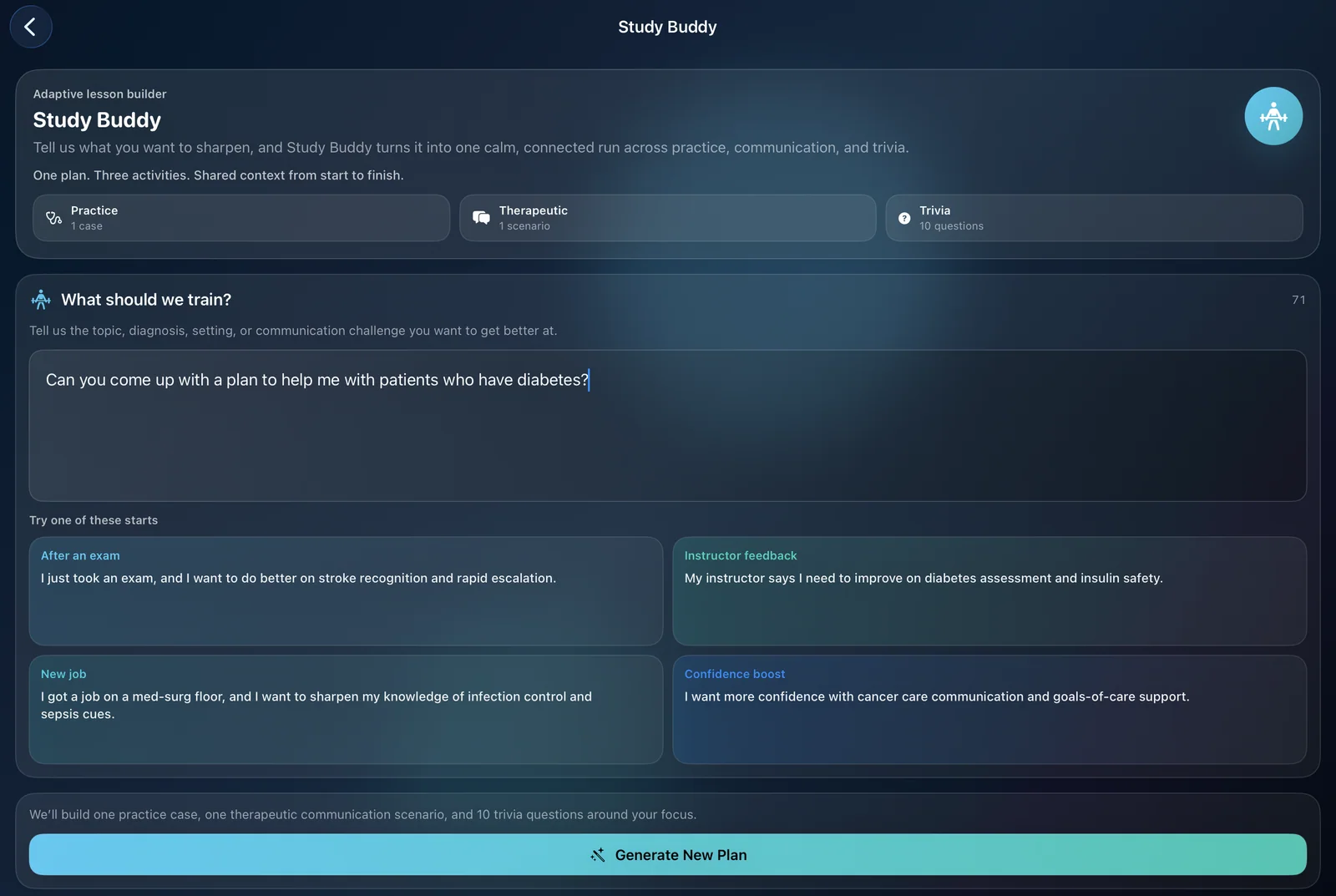
Study Buddy turns one learning goal into one connected practice session. Instead of bouncing between disconnected review tools, you get a case, a therapeutic communication scenario, and trivia that all reinforce the same focus.
Case Study Mode
Case Study mode helps students practice clinical judgment the way it is used in real patient care. Instead of isolated questions, each case follows one patient across 6 connected questions.
As you move through the case, new information appears, including lab results, medication orders, and patient concerns, so you reassess and respond just like you would in practice.
Telehealth Practice
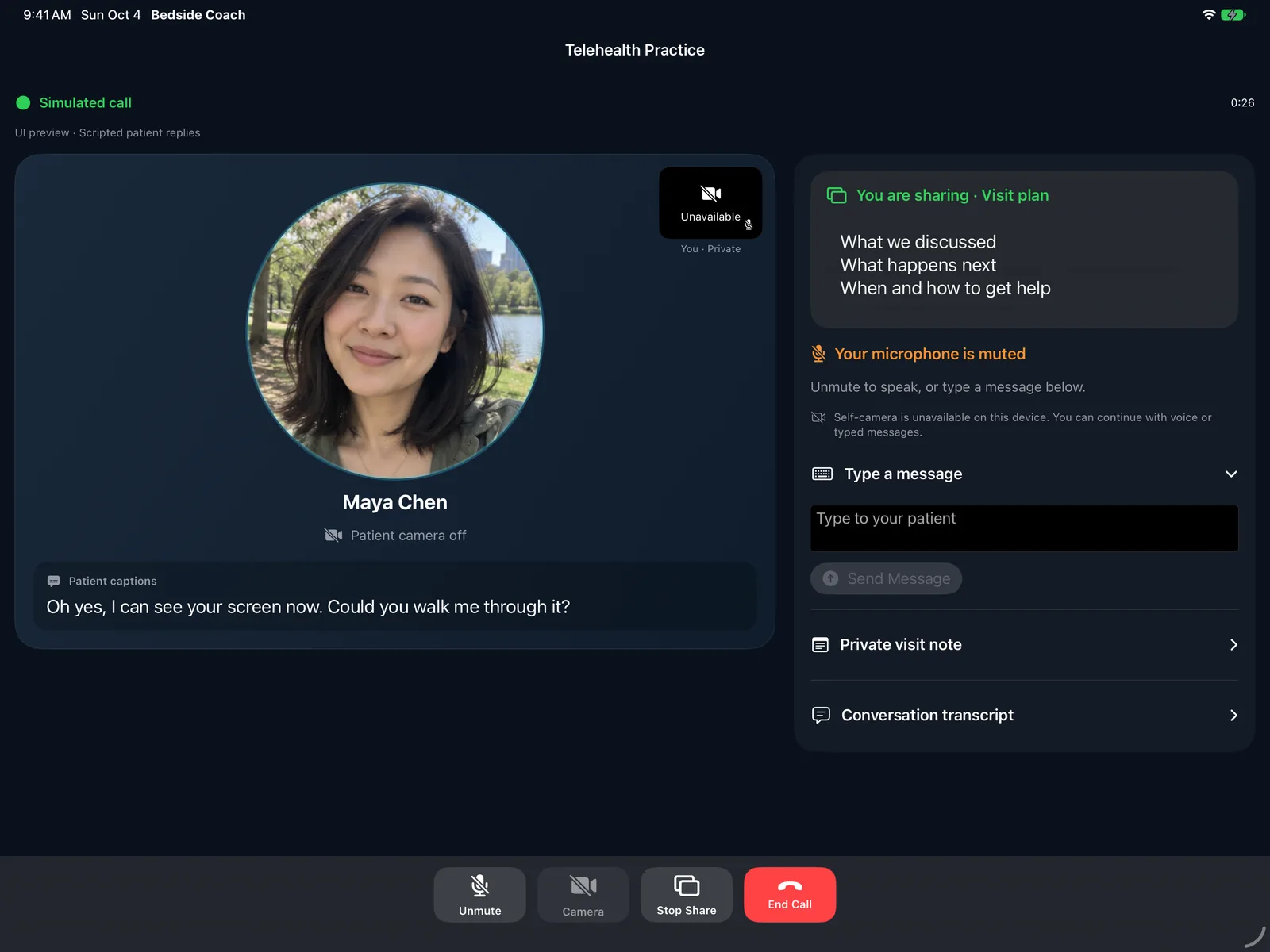
Telehealth simulates a remote nursing conversation. Speak as the nurse, or type while you are muted, and pause for the patient's reply. No real patient or emergency service is connected.
Before The Scenario Starts
Before the case begins, users can choose RN or LVN/LPN and select one of 12 supported state-aligned practice standards. That choice changes the lane the learner is practicing in.
Objectives, rubric expectations, and coaching feedback then reflect the selected role and practice standard instead of relying on a one-size-fits-all rubric. Current supported states include California, New York, Texas, Florida, Nevada, Arizona, Oregon, Washington, Idaho, Utah, North Carolina, and Virginia.
Choose RN or LVN/LPN before the scenario begins.
Train with one of 12 supported state-aligned practice standards based on publicly available state rules and guidance.
Get objectives, rubric scoring, and coaching notes that reflect the selected lane.
1. Start With Handoff
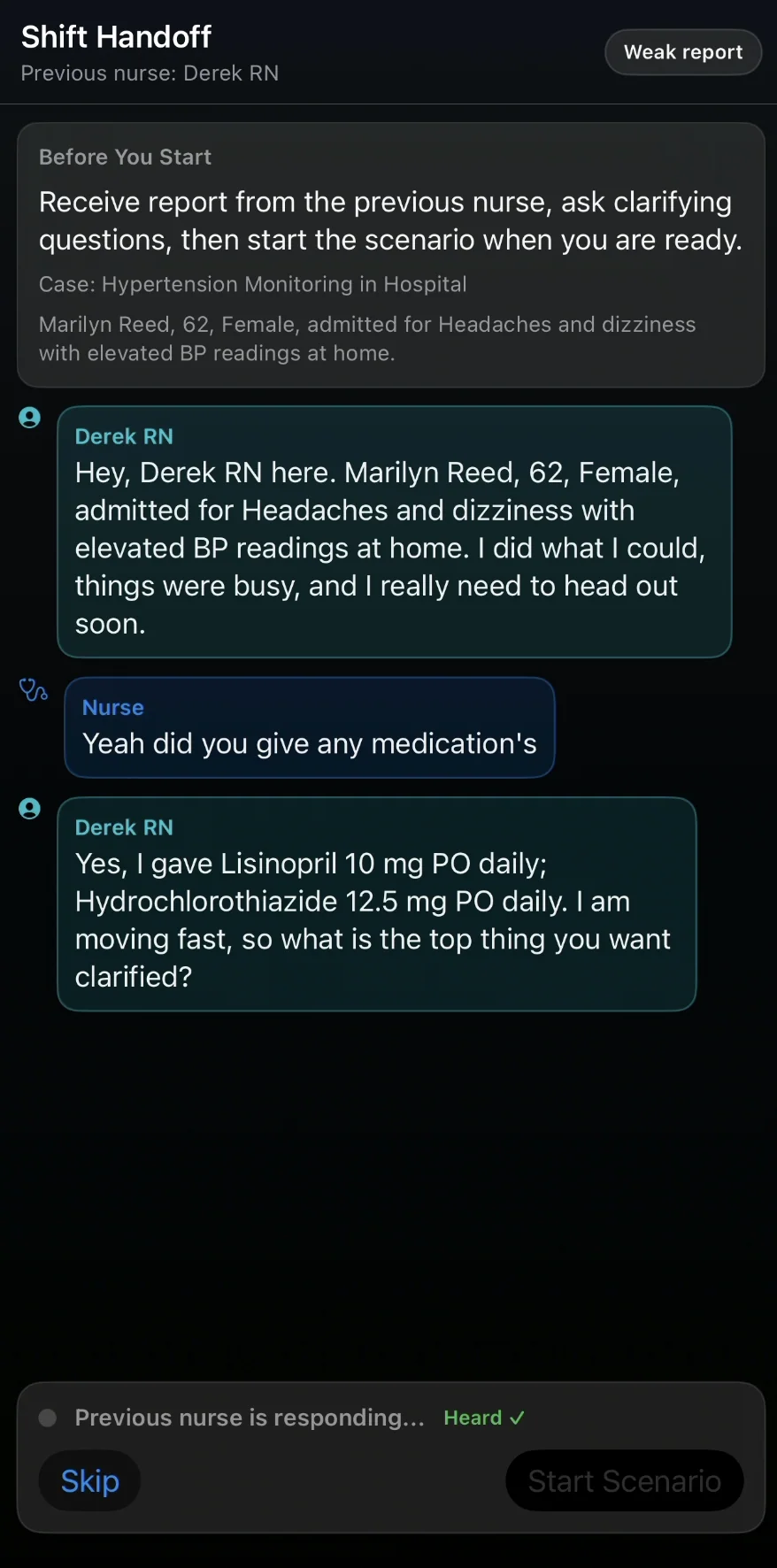
Each run can begin with an SBAR handoff so the learner enters with a patient story, immediate concerns, and a shared mental model. It is a better starting point than dropping into a blank screen.
2. Assess The Situation
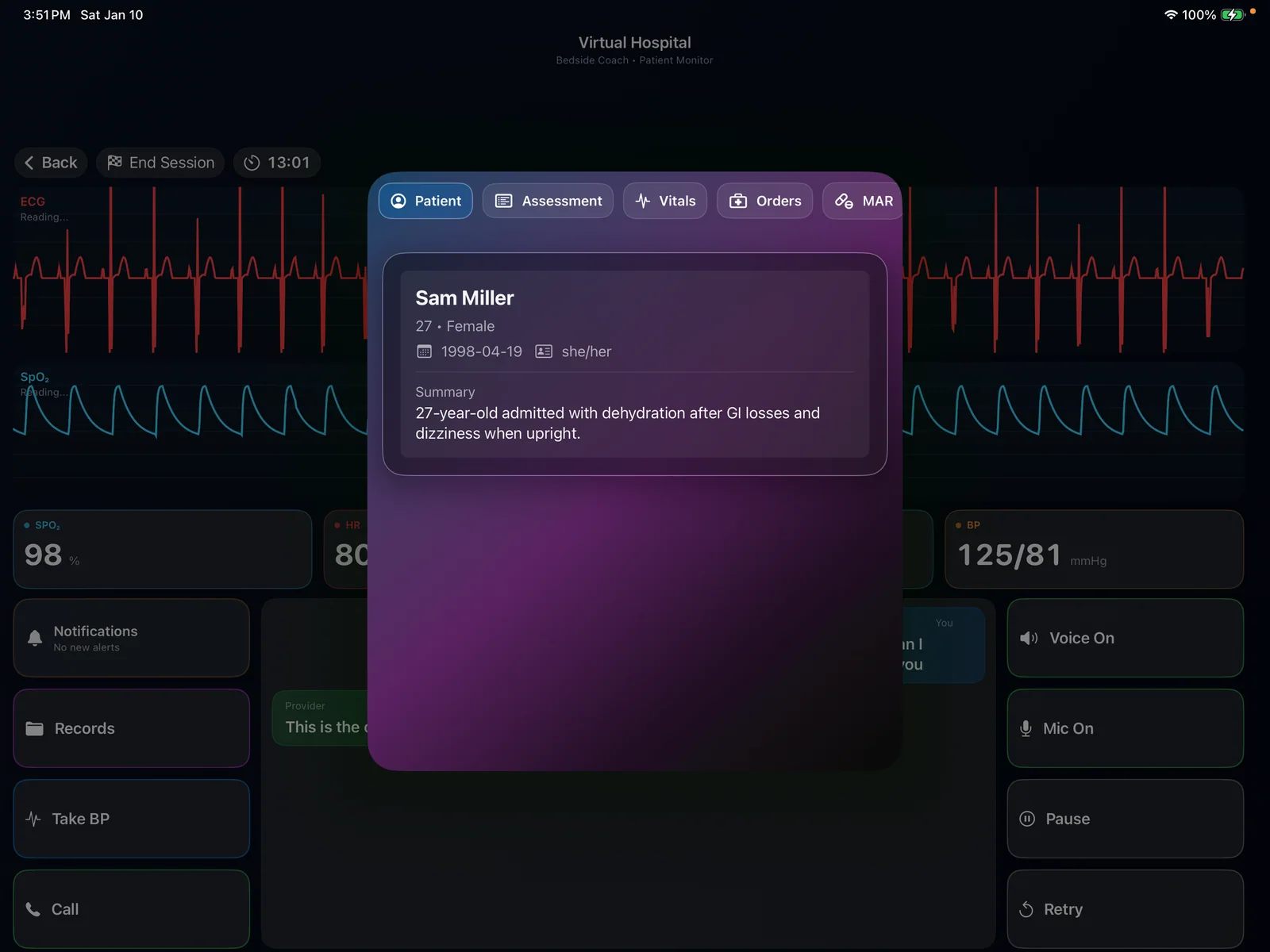
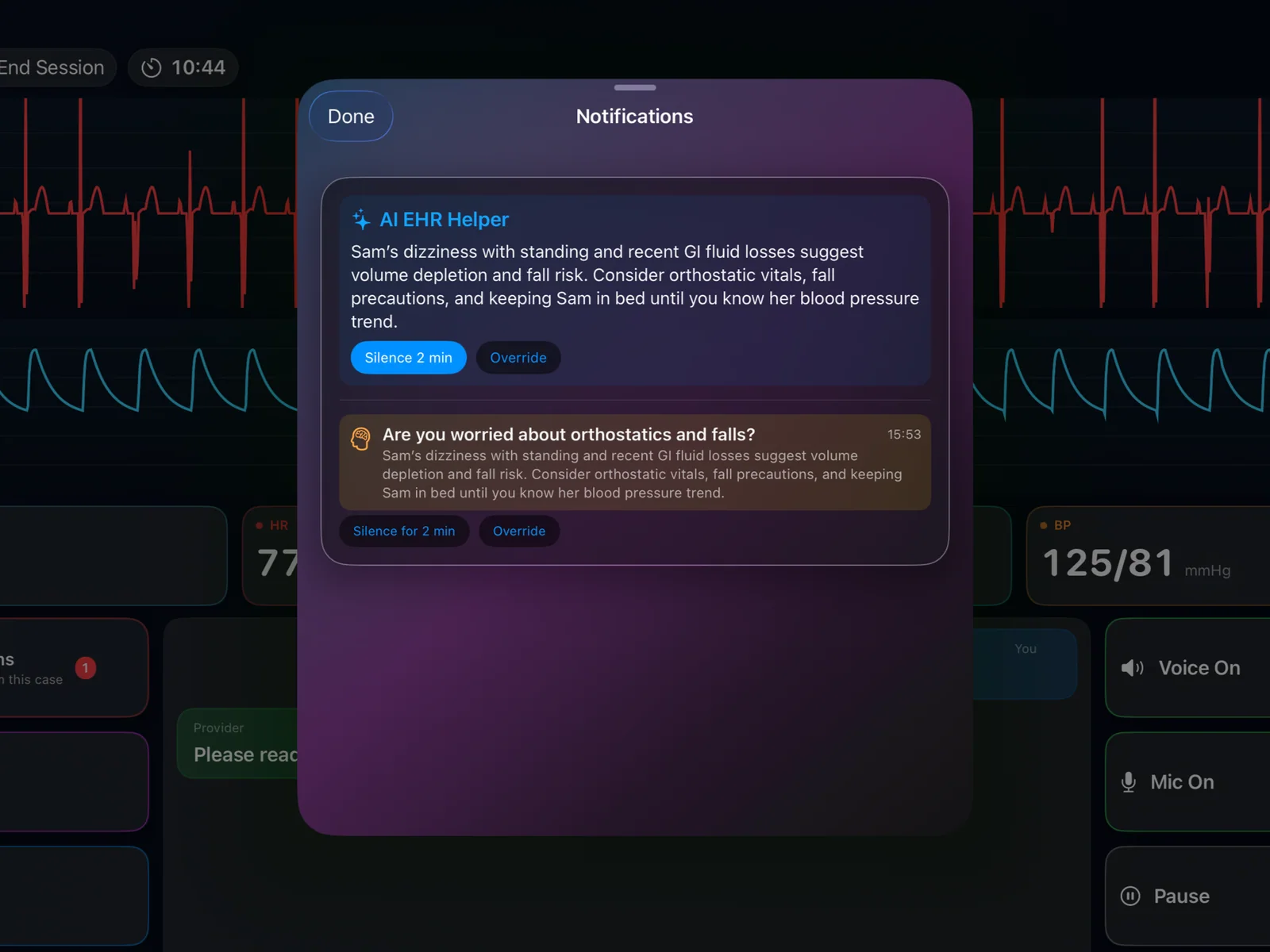
Bedside Coach gives learners a patient record, vital monitor, orders, history, diagnostics, and evolving case details. The work is not just talking. It is recognizing what matters and what action it points to.
3. Take Action
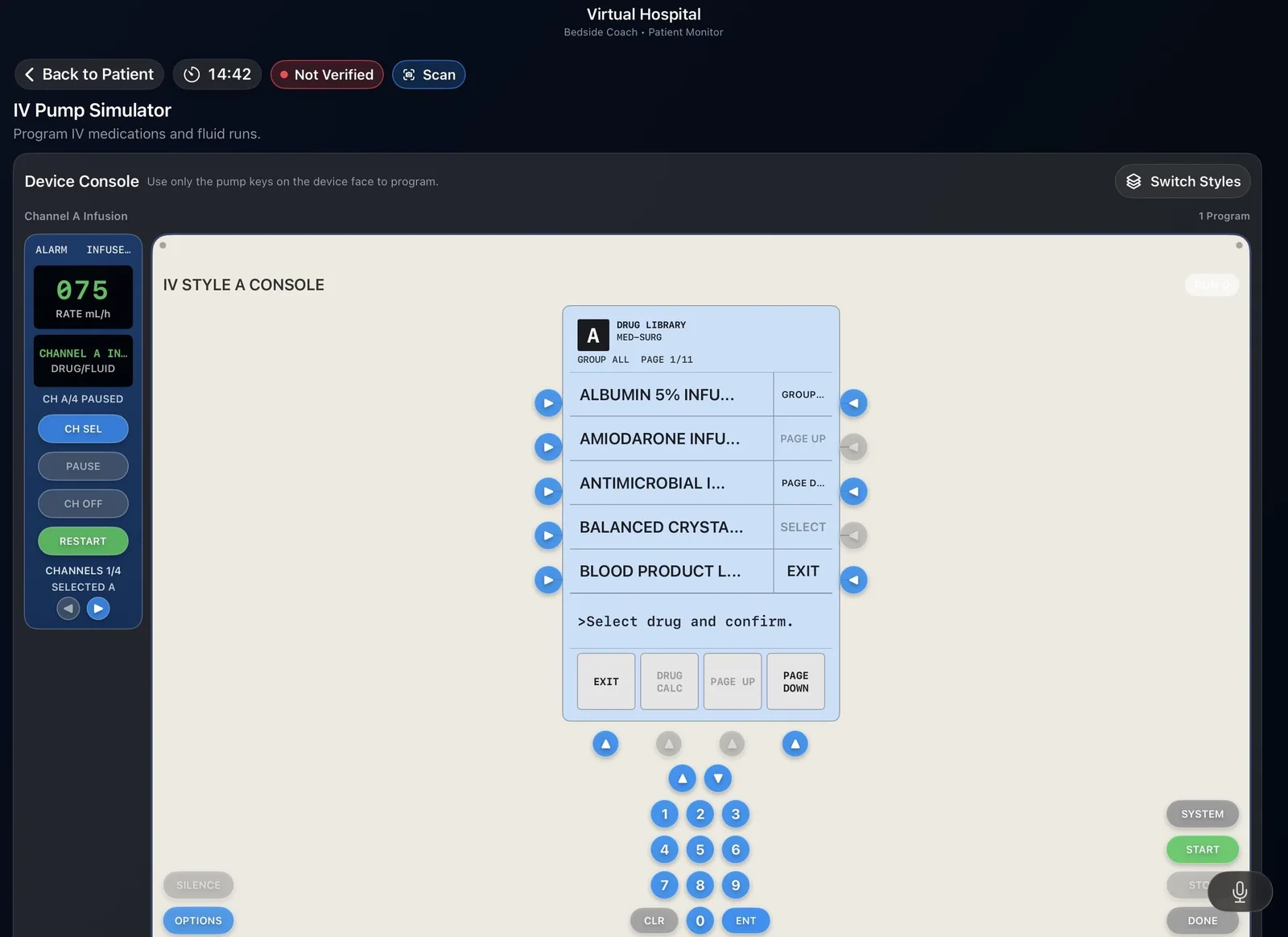
This is where the app clearly moves beyond communication-only training. Learners perform nursing actions such as medication administration, pump programming, barcode scanning, escalation, and workflow decisions that affect the patient.
Multi-Patient Mode
Multi-Patient Mode gives learners up to 3 patients in one realistic assignment. Each patient starts with an interactive SBAR handoff, and each room keeps its own monitor state, vitals, pump setup, and care progress while the learner moves between rooms.
Learners practice prioritization, time management, delegation, and follow-up as updates arrive from other rooms. Scoring looks at room selection, delegation, and response to changing needs.
Spatial Simulation On Apple Vision Pro
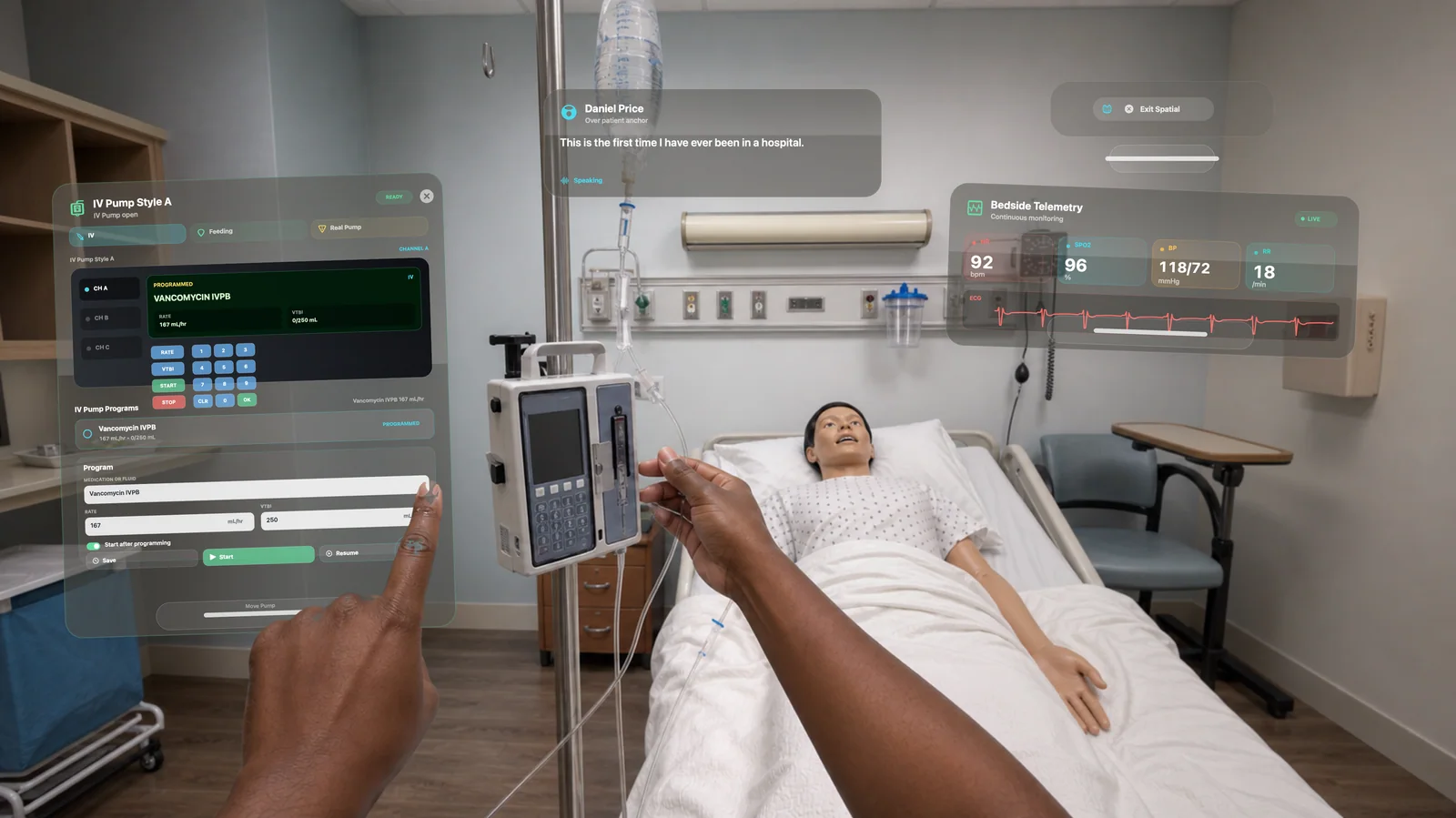
In visionOS, Bedside Coach places patient conversations, live vital signs, clinical records, alerts, and coaching overlays around the real practice space. The learner still reaches, scans, verifies, assesses, communicates, and manages equipment in the room.
It bridges virtual simulation and high-fidelity simulation: software intelligence without giving up the physical skills that matter.
4. Adapt In Real Time
Multi-Patient Mode trains a realistic patient assignment.
5. Review And Improve
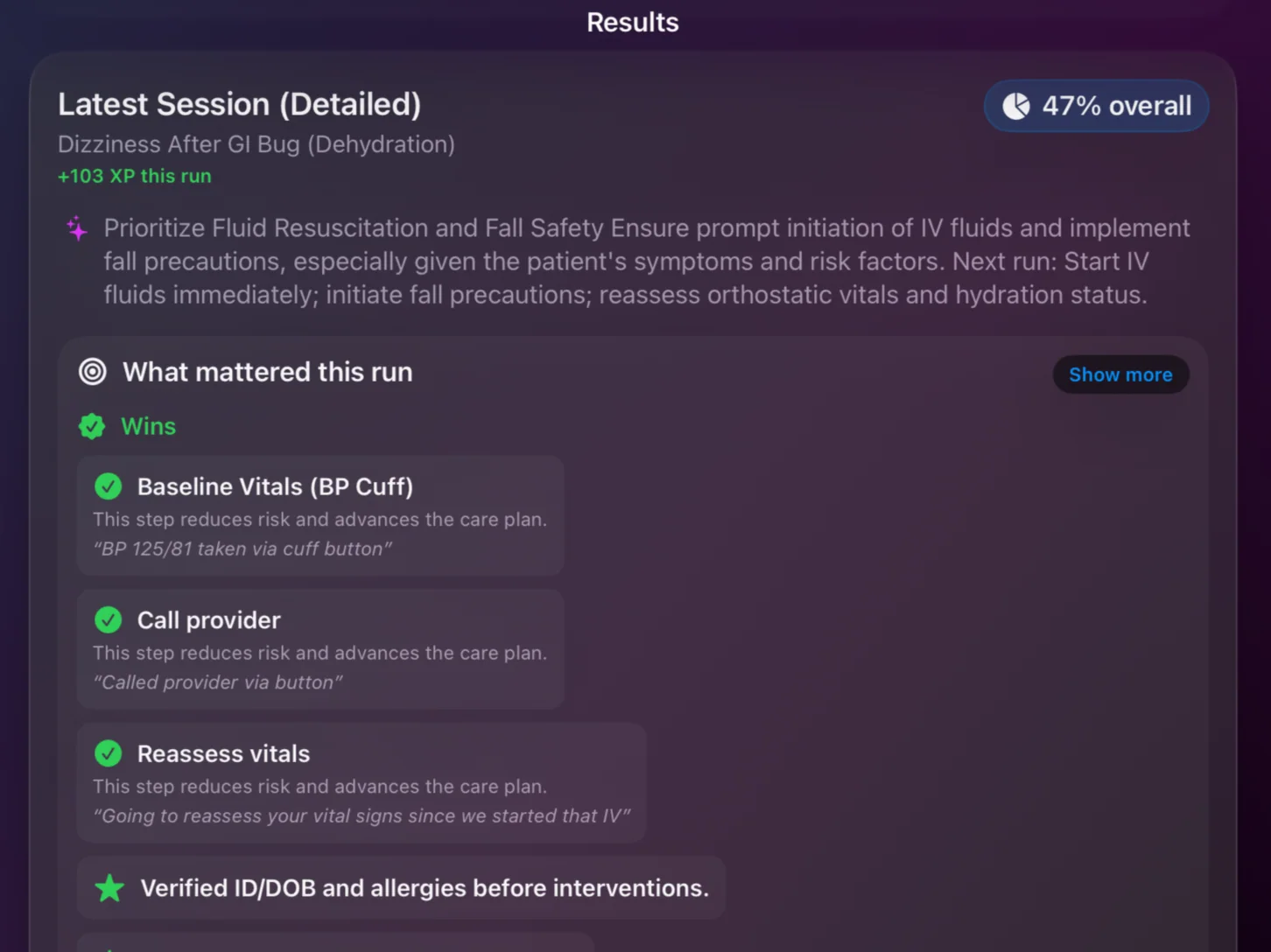
Bedside Coach closes the loop after each run. Learners complete guided reflection, review coaching feedback, and can export PDF reports that make the session useful for practice, remediation, faculty review, or trend tracking. PDF exports align with Web Content Accessibility Guidelines (WCAG) 2.1, Level AA.
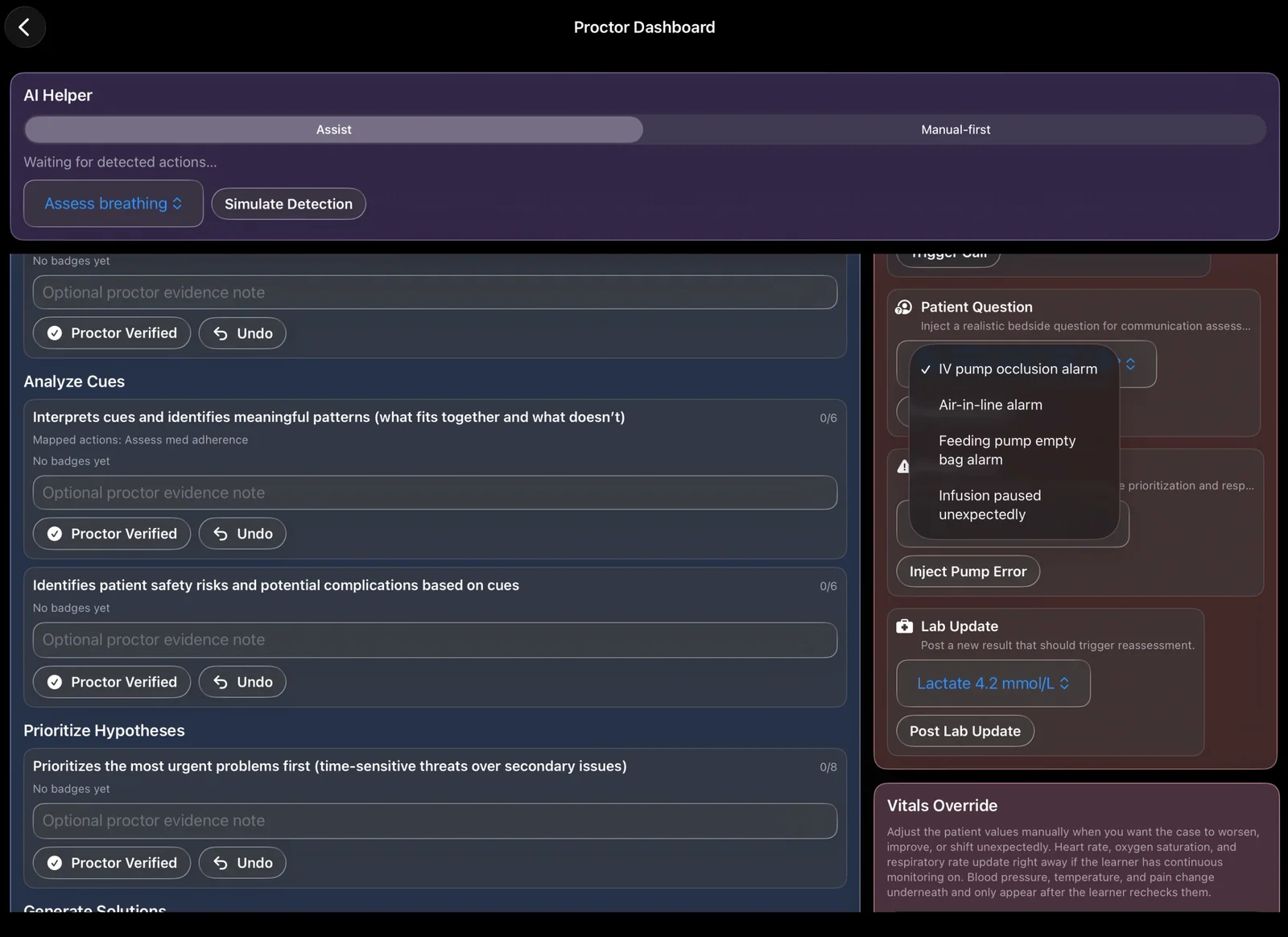
For structured evaluation, test sessions pair a learner with a proctor so checkoffs and skills validation follow a consistent workflow. Objectives, rubric scoring, and coaching notes reflect the role and scope selected for that run.
For faculty development, Debrief Coaching reviews debrief conversations after students leave, separates faculty and learner voices, and returns timestamped feedback aligned with PEARLS and INACSL-informed facilitation practices.
Guided Reflection
Capture what went well, what you would change, and the reasoning behind your decisions.
Coaching Feedback
See strengths, gaps, and action-oriented next steps, not just a generic score.
Proctor Workflow
Use standardized test sessions for observation, skills validation, and exam-style practice.
Debrief Coaching
Review open-ended questions, learner reasoning, psychological safety, advocacy-inquiry, and talk-time balance after the debrief ends.
Ready To Practice?
Bedside Coach is for real nursing practice: what you notice, what you do, what you say, and what you learn after the shift ends.
Requirements: iPhone and iPad require iOS 27 or iPadOS 27. The native Apple Vision Pro app requires visionOS 26.4 or later. Apple Watch live cues and learner alerts require a compatible connected iPhone and watchOS 26 or later.