Control Hub
Connect up to three approved cameras, view their silent previews, select one Main Camera for recording and observer output, play sound cues, and mark important moments for debriefing.

Sibyl Sim brings healthcare simulation control, room cameras, observation, recording, sound, and debriefing together across iPhone, iPad, and Apple TV.
Free. Requires iOS 27, iPadOS 27, or tvOS 27.

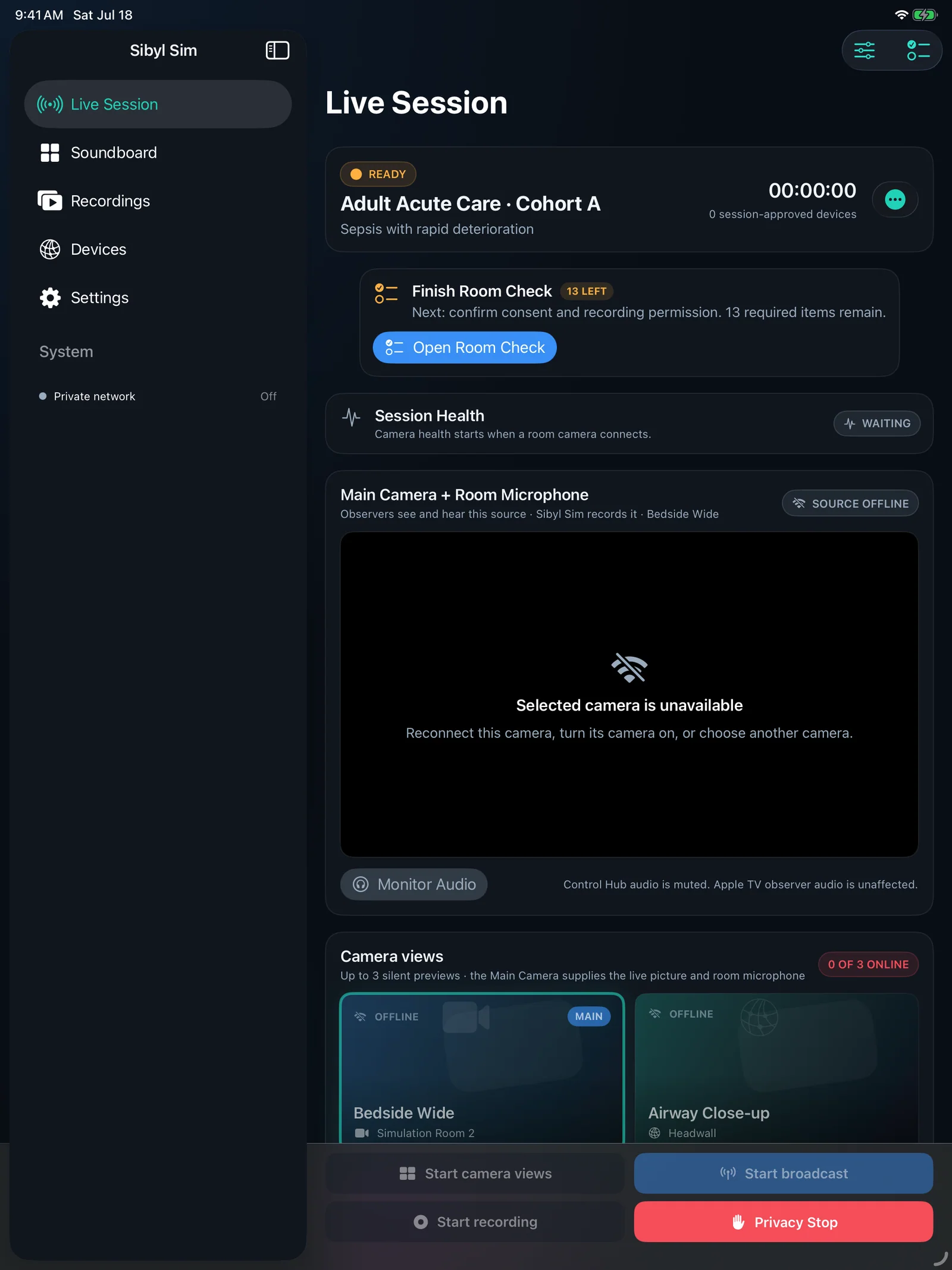
Guided Room Setup brings camera positions, observer devices, and sound locations together in a saved room profile. Complete Room Check before learners begin.
Connect up to three approved cameras, view their silent previews, select one Main Camera for recording and observer output, play sound cues, and mark important moments for debriefing.
Search a saved transcript and jump to its source timestamp.
Check speech readiness and download supported language assets from Settings or Guided Setup before the room goes offline.
Automatic LAN is the default. Advanced Connections offers Campus Direct and Ethernet Required for IT-approved deployments.
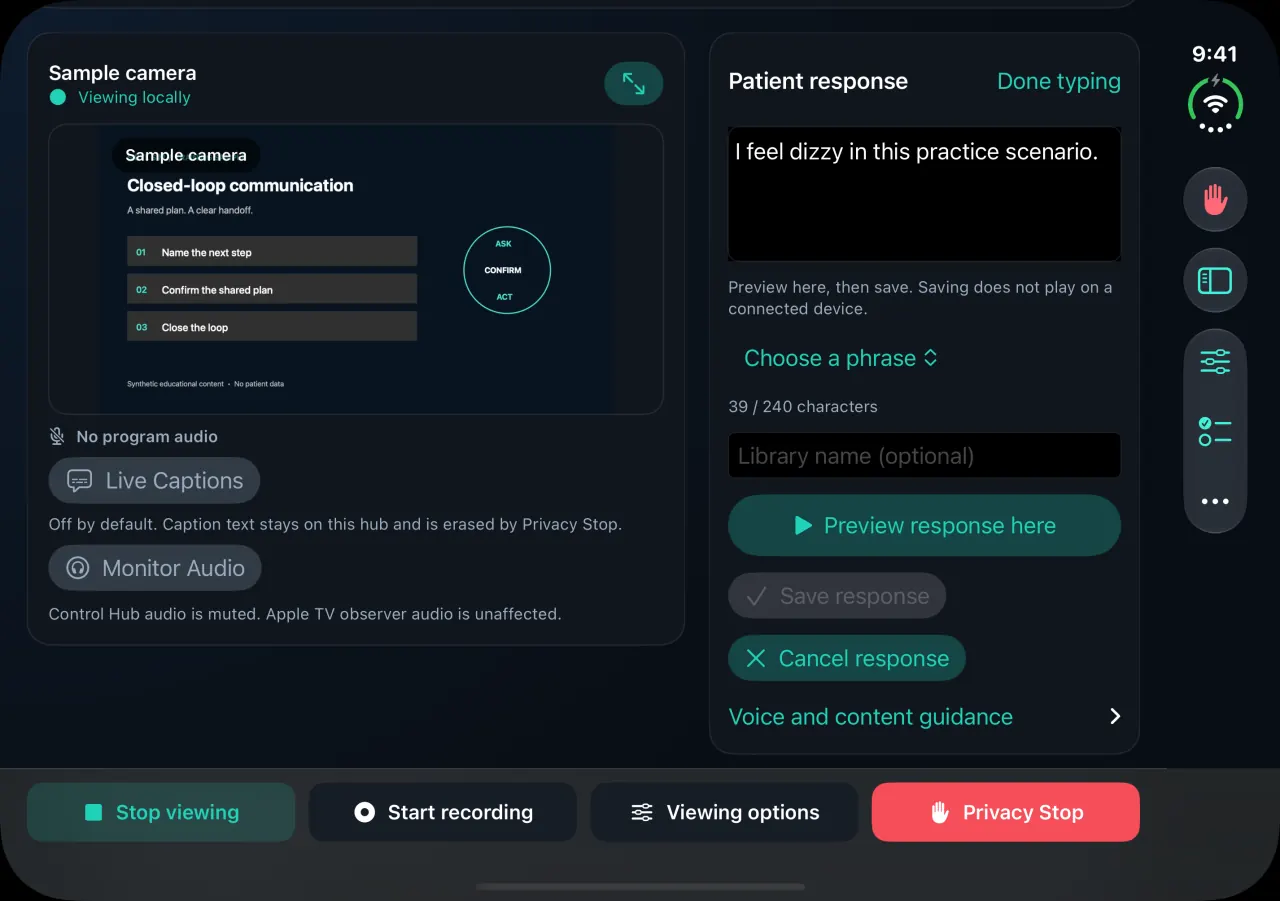
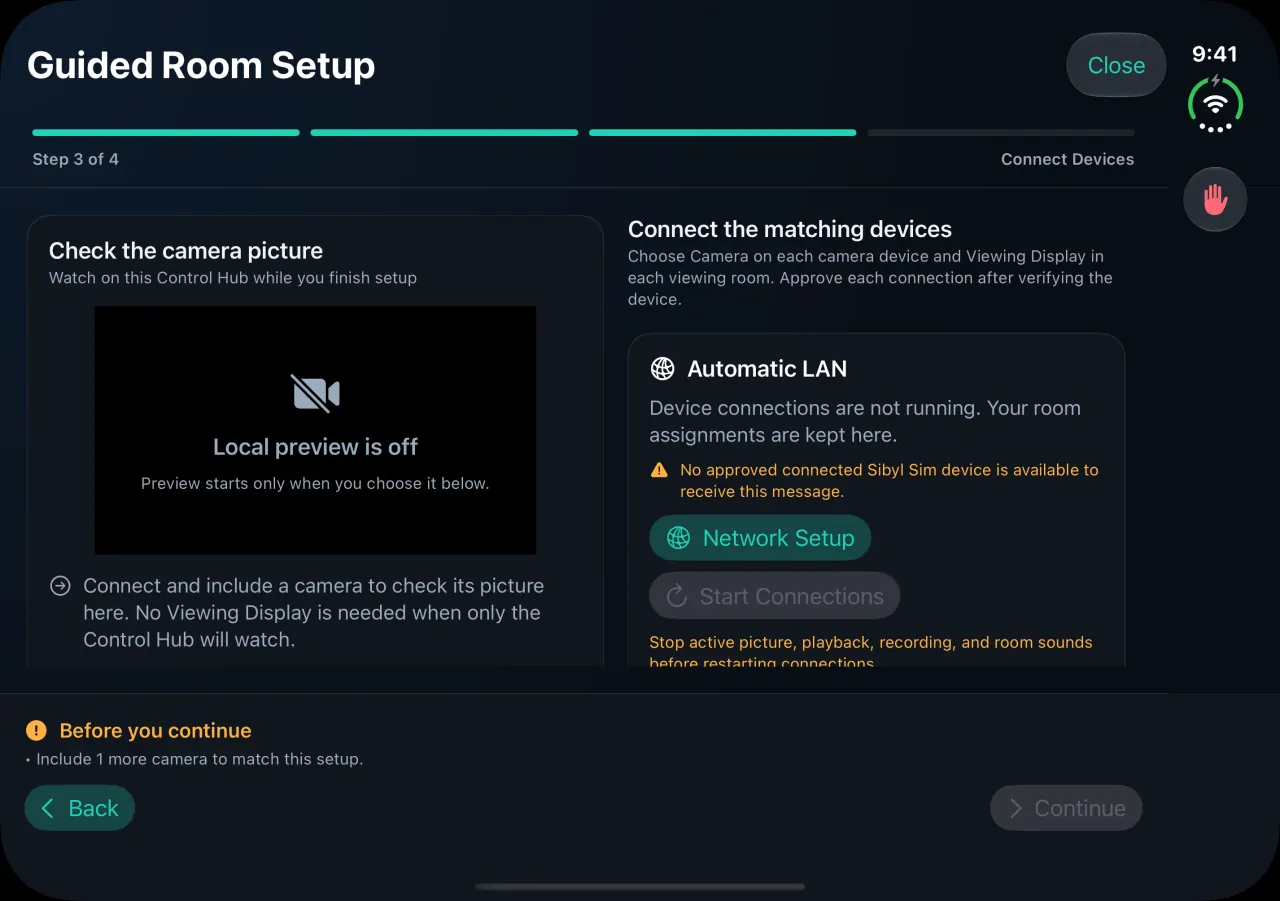
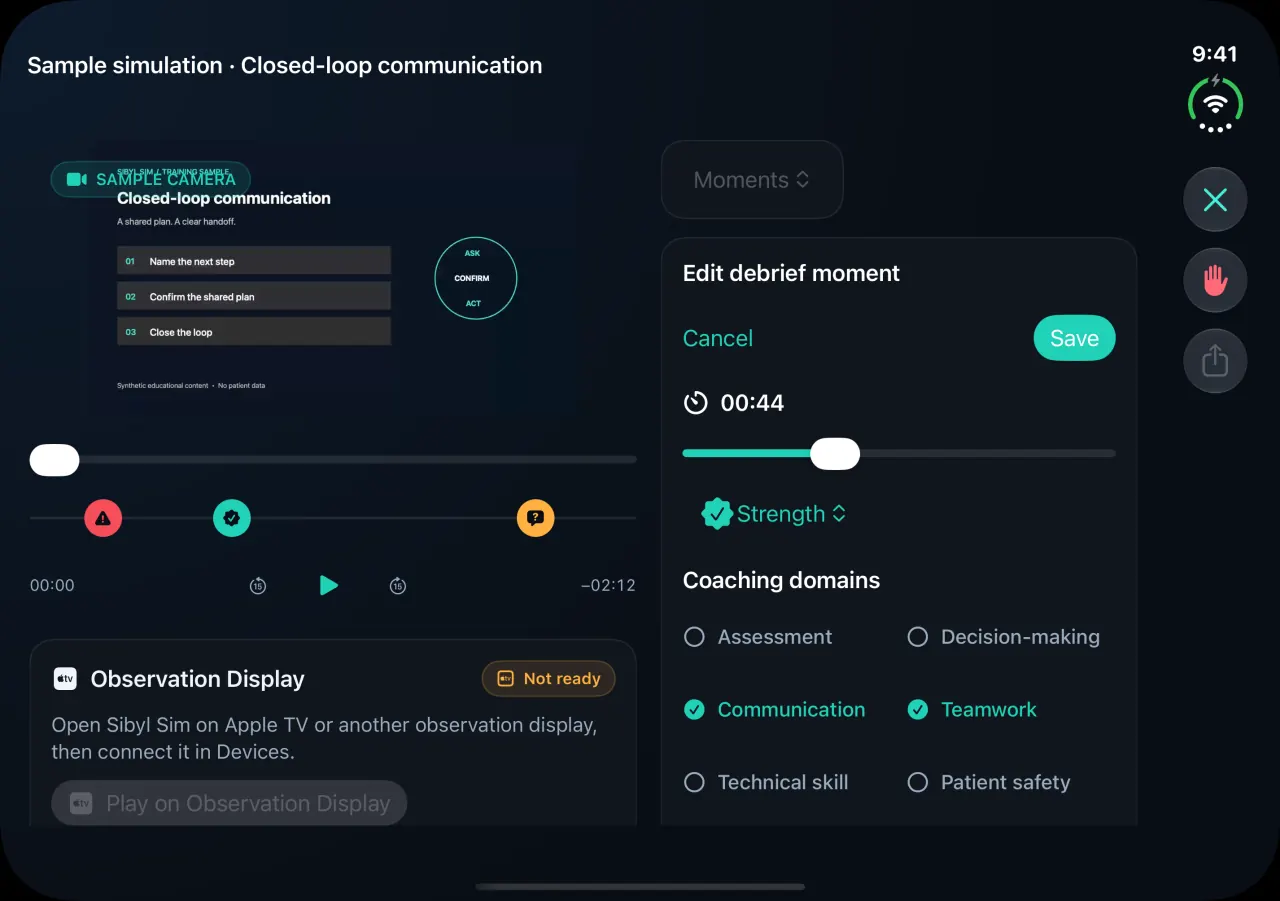
Prepare patient responses beside the live feed, set up a room with a camera preview, and edit debrief moments alongside the recording.
Supported in version 2.2. Open Duo for a broader workspace, then return to a compact view with your place and drafts preserved.
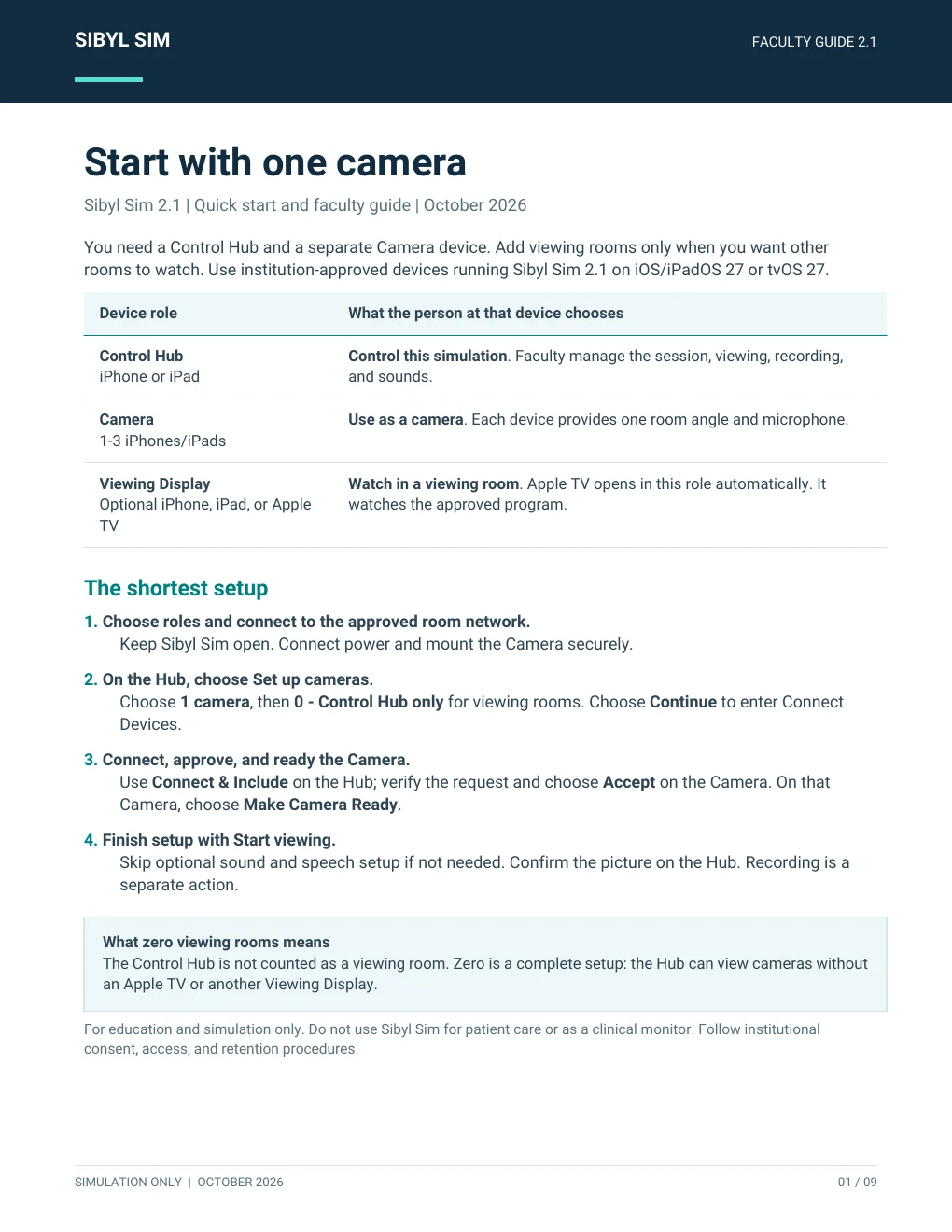
Follow the complete workflow, from choosing roles and connecting the room to running the simulation and leading the debrief.
Share the PDF with facilitators, camera helpers, and simulation staff before room setup.
Watch how faculty use the iPad Control Hub, prepare an iPhone room camera, and bring the approved live view to students through Sibyl Sim for Apple TV.
Choose the role that fits the room. Faculty can direct the session from a Control Hub, place camera devices where they are needed, and connect approved observers without turning the setup into an IT project.
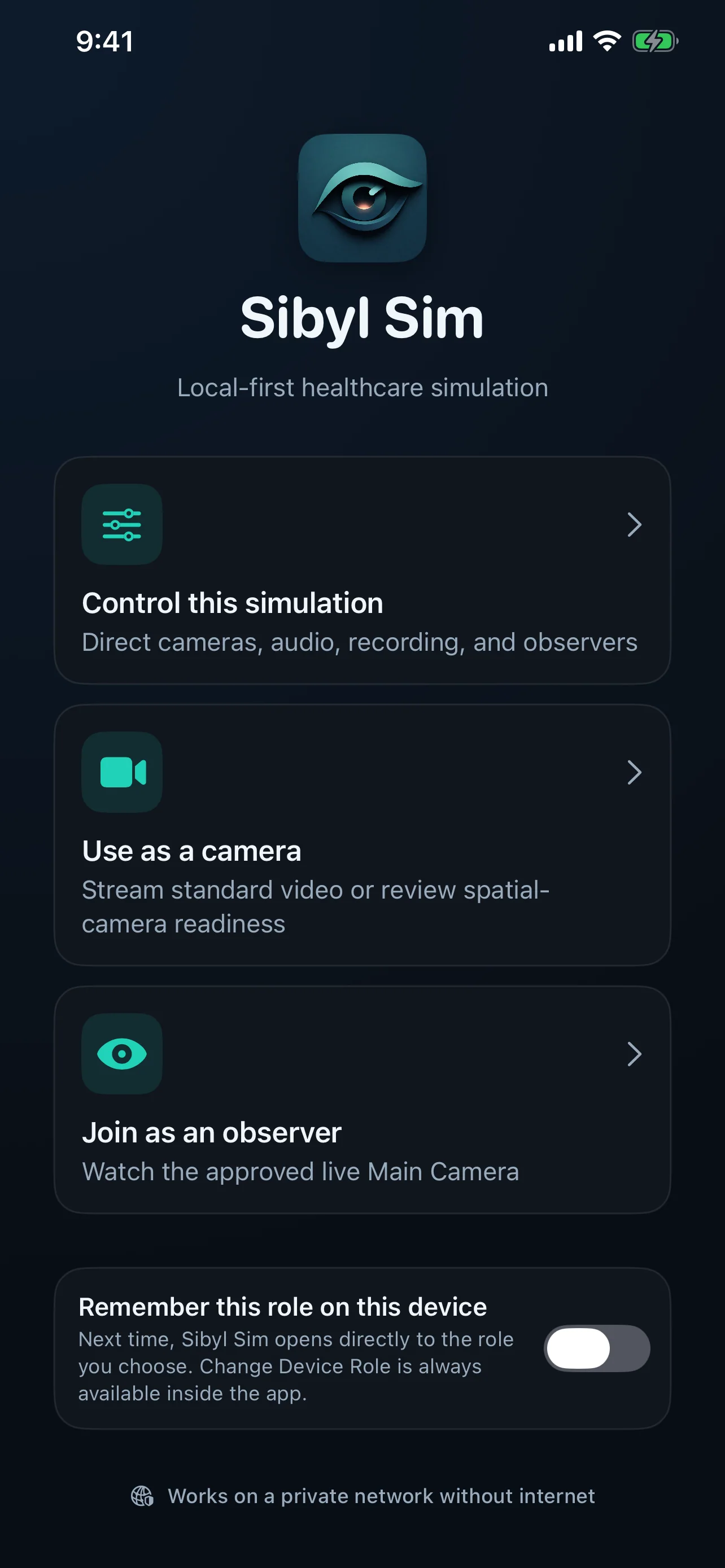
Use iPad as the command center for room setup, camera selection, observer output, recording, sound cues, and debriefing.
Turn an iPhone or iPad into an approved room camera and microphone with visible readiness and connection status.
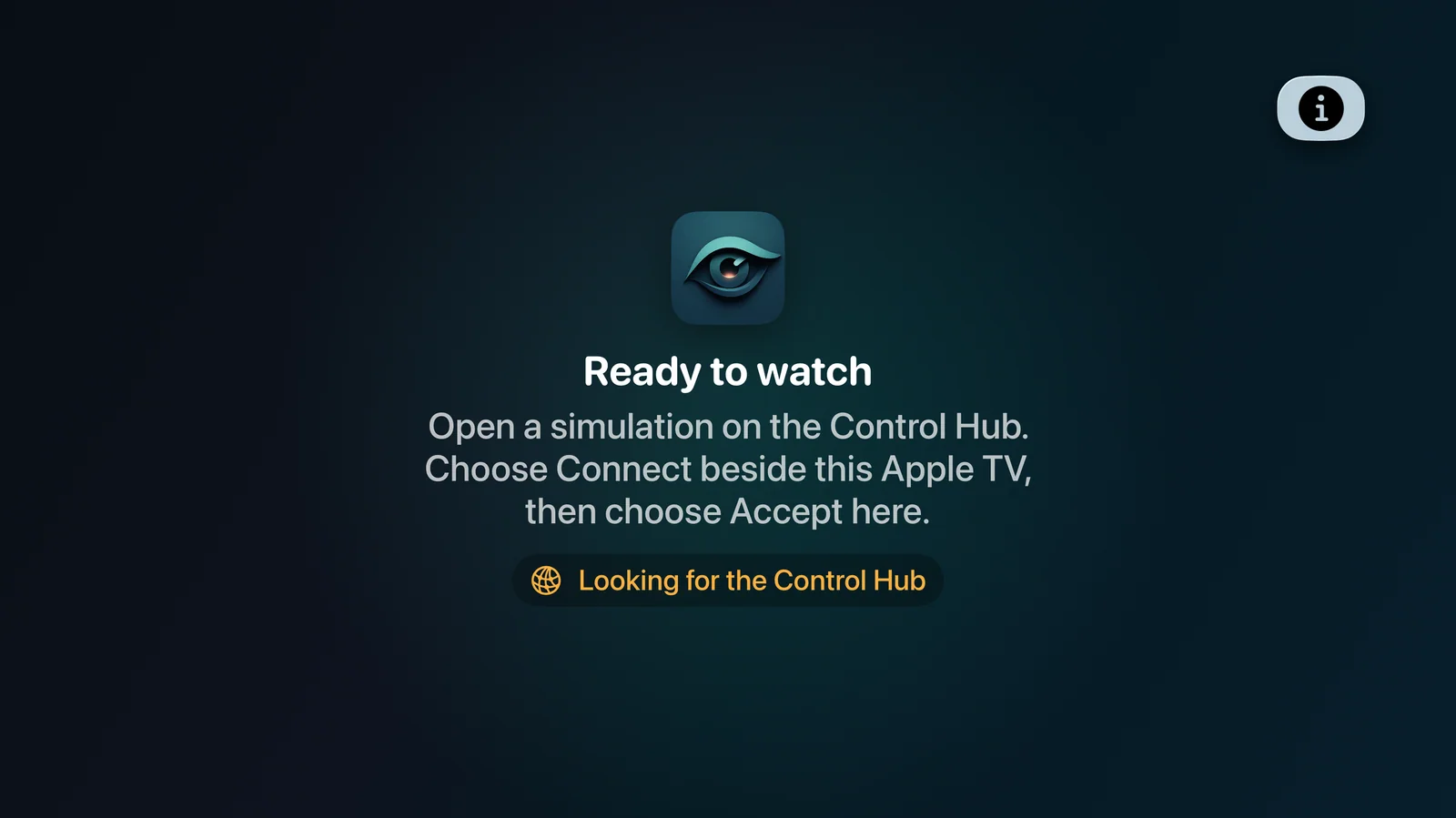
Watch the faculty-approved Main Camera from iPhone, iPad, or Apple TV through a focused observer experience.
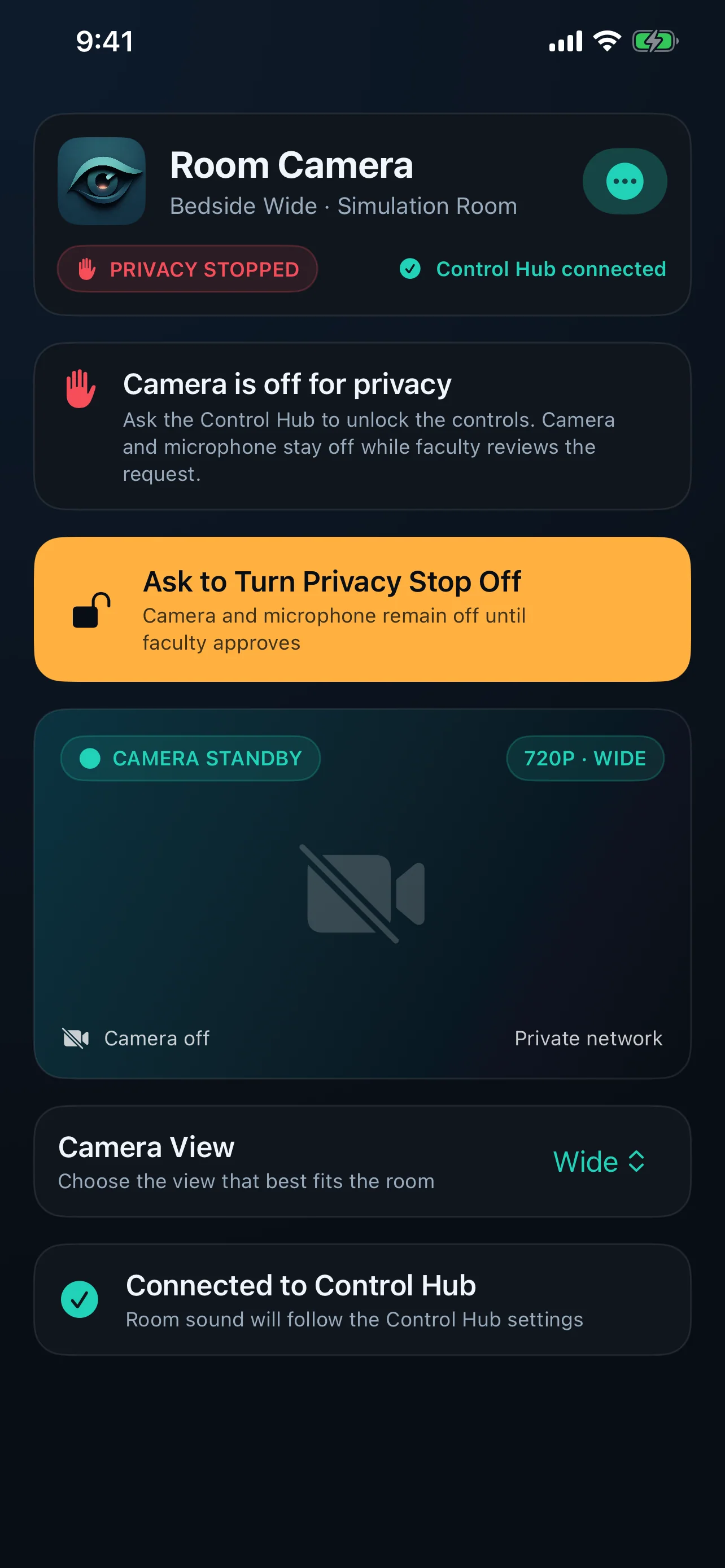
Privacy Stop blocks recording, broadcast, camera streaming, and remote sound delivery until faculty explicitly turns it off. The stopped state remains visible to the camera device and Control Hub.
Sibyl Sim for Apple TV presents the faculty-selected Main Camera and room audio in a focused observer display. Faculty can also direct saved playback from the Control Hub for group review.
Sibyl Sim extends the Bedside Coach family into live simulation operations. It helps faculty connect the room, guide what observers see, protect privacy, and return to meaningful moments during debriefing.
After installation and provisioning, Sibyl Sim is designed to operate across a private local network without an Internet connection.
Recordings remain in protected local storage on the Control Hub. Sibyl Sim does not silently delete older recordings to make room.
No. Apple TV is a focused observer endpoint. Pairing, broadcast, recording, and playback remain under faculty control at the hub.
No. Sibyl Sim is solely for education and simulation. It is not a clinical monitor or medical device and must not be used for patient care.
Optional curriculum integration
Bedside Coach, ChartSlate, and Sibyl Sim are free to use. No engagement is required to use the apps. If you'd like help tying them into your curriculum or building assignments with your faculty, you can engage Brandon for a day, a week, or a month.
See ways to work togetherSee how each app supports practice of common competencies
Or email domingueznursing@gmail.com.
Please do not include patient information, student records, or other confidential material in your message.