iPhone Duo · Version 2.2

More room to see the details.

More space to put learning into practice. Our apps adapt to iPhone Duo's compact and expanded layouts, keeping related information close together.

Supported in version 2.2.

Bedside Coach

Bedside Coach gives clinical cases room to breathe.

On the expanded screen, keep the patient view visible alongside your choice of notes, teaching materials or transcript.
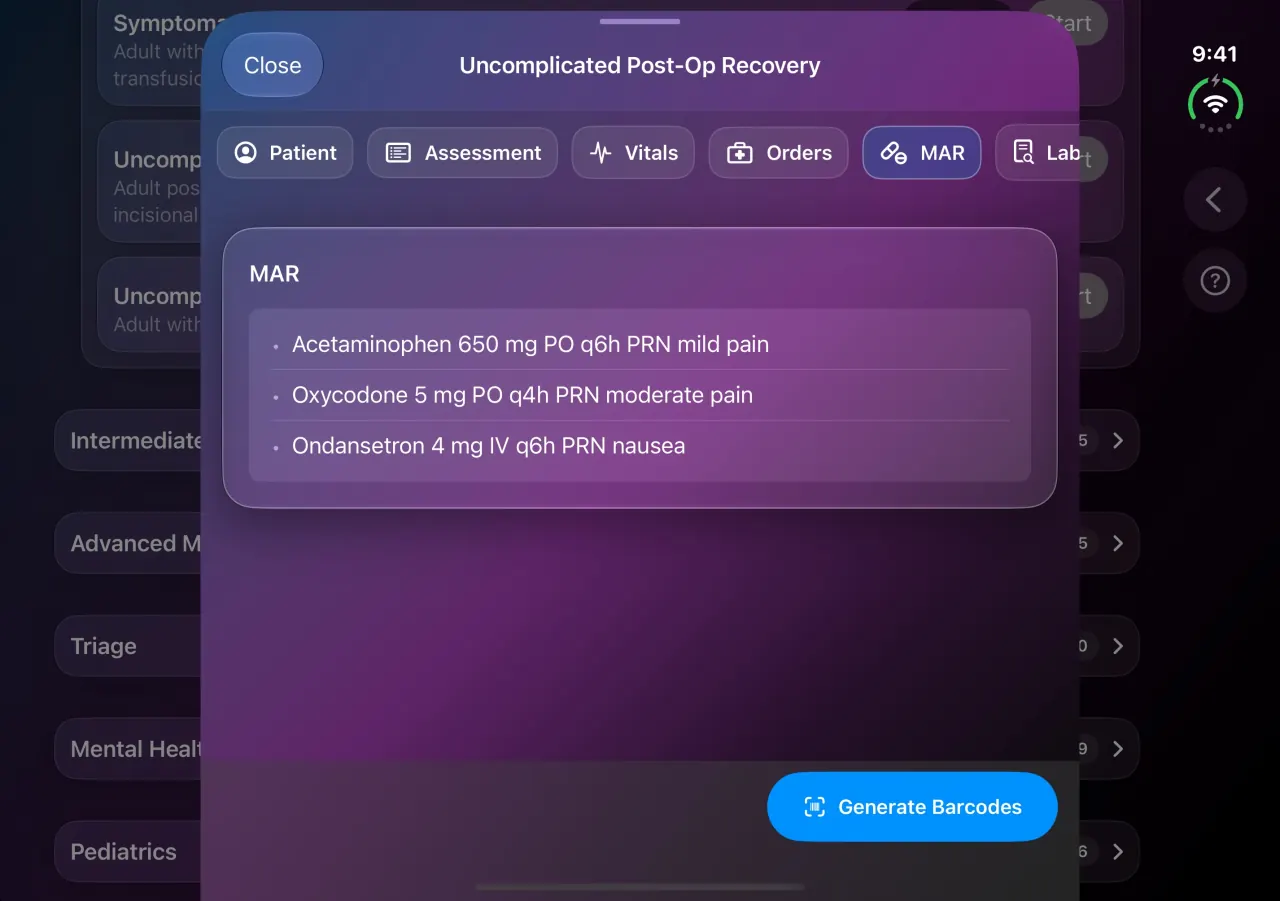
Bedside Coach on the expanded iPhone Duo screen, Uncomplicated Post-Op Recovery medication administration record with Generate Barcodes
Medication administration record
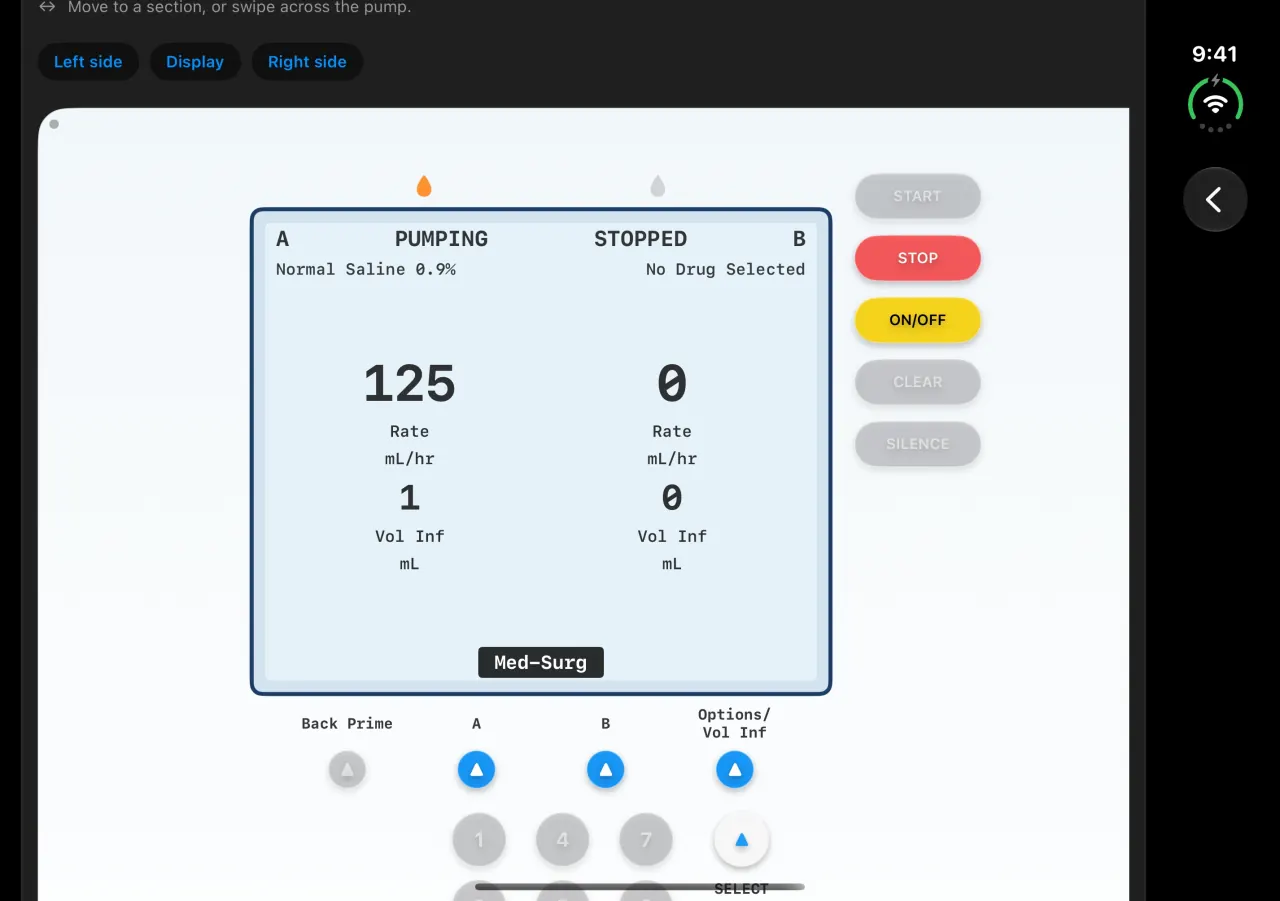
Bedside Coach on the expanded iPhone Duo screen, IV pump simulation with normal saline infusing on channel A
IV pump
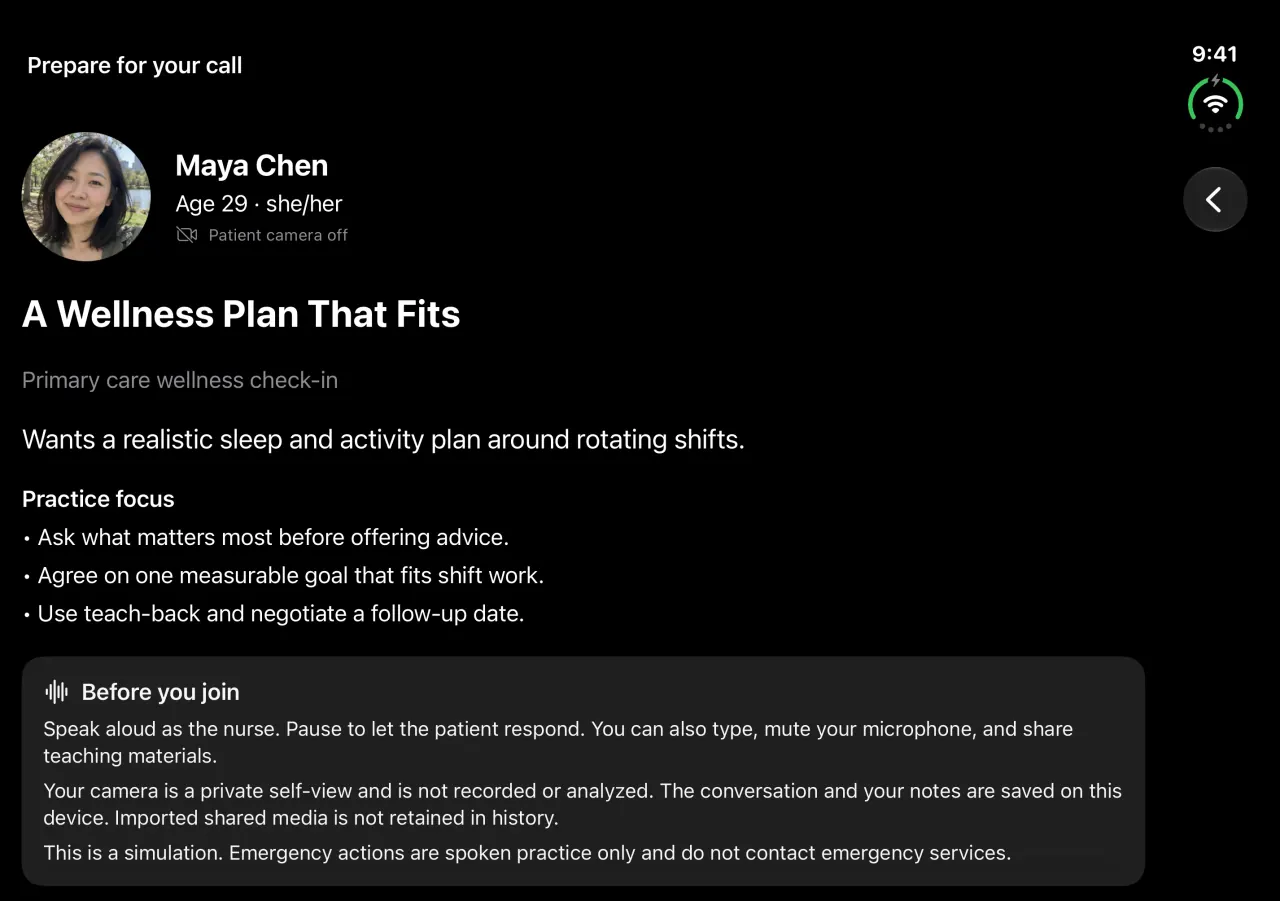
Bedside Coach on the expanded iPhone Duo screen, telehealth Prepare for your call screen for sample patient Maya Chen
Prepare for your call

ChartSlate

ChartSlate brings the source chart and your clinical note side by side.

Review labs and nursing notes while building your assessment and handoff—all within the same workspace.
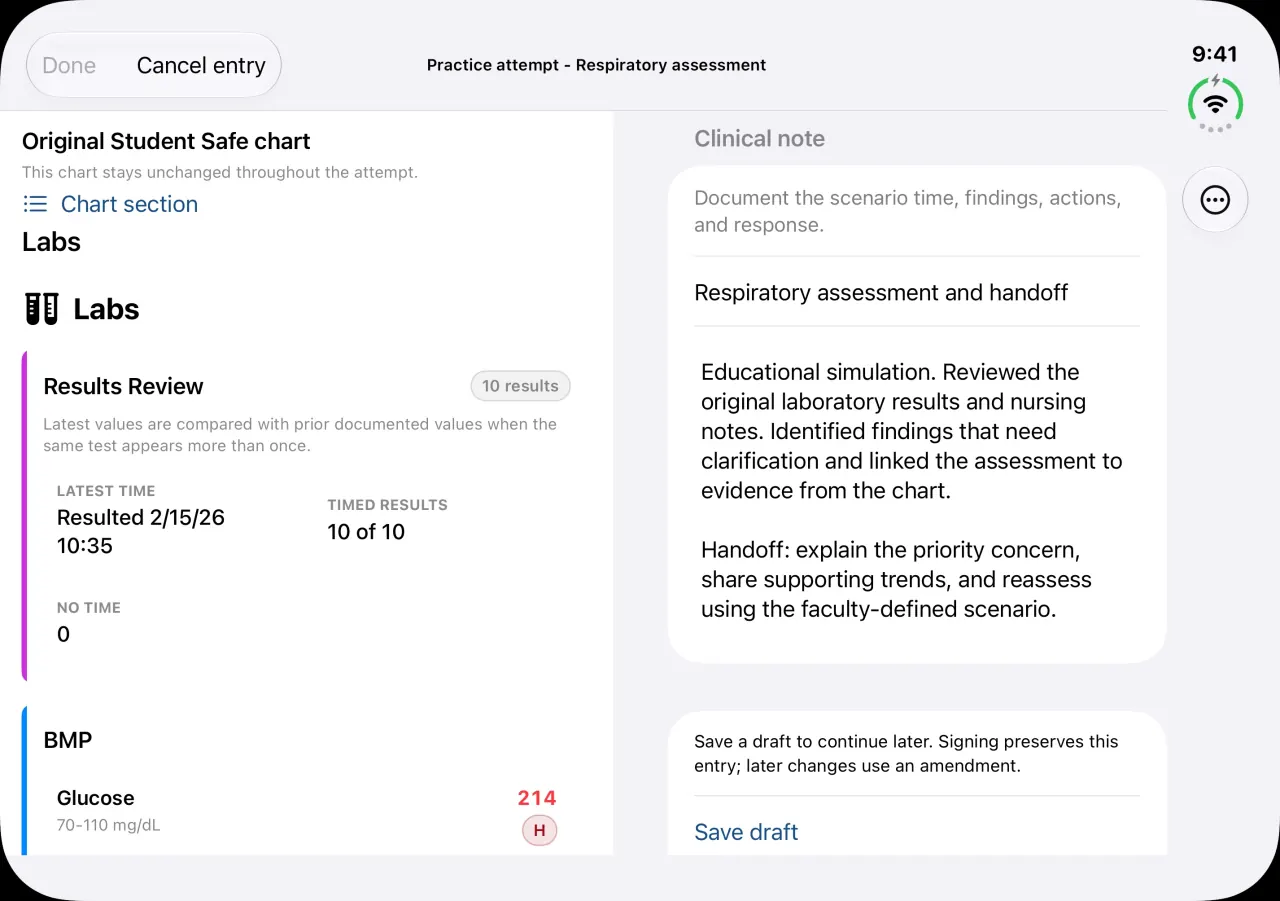
ChartSlate on the expanded iPhone Duo screen, original student safe chart labs beside a respiratory assessment clinical note
Labs beside the clinical note

Sibyl Sim

Sibyl Sim keeps the session in focus.

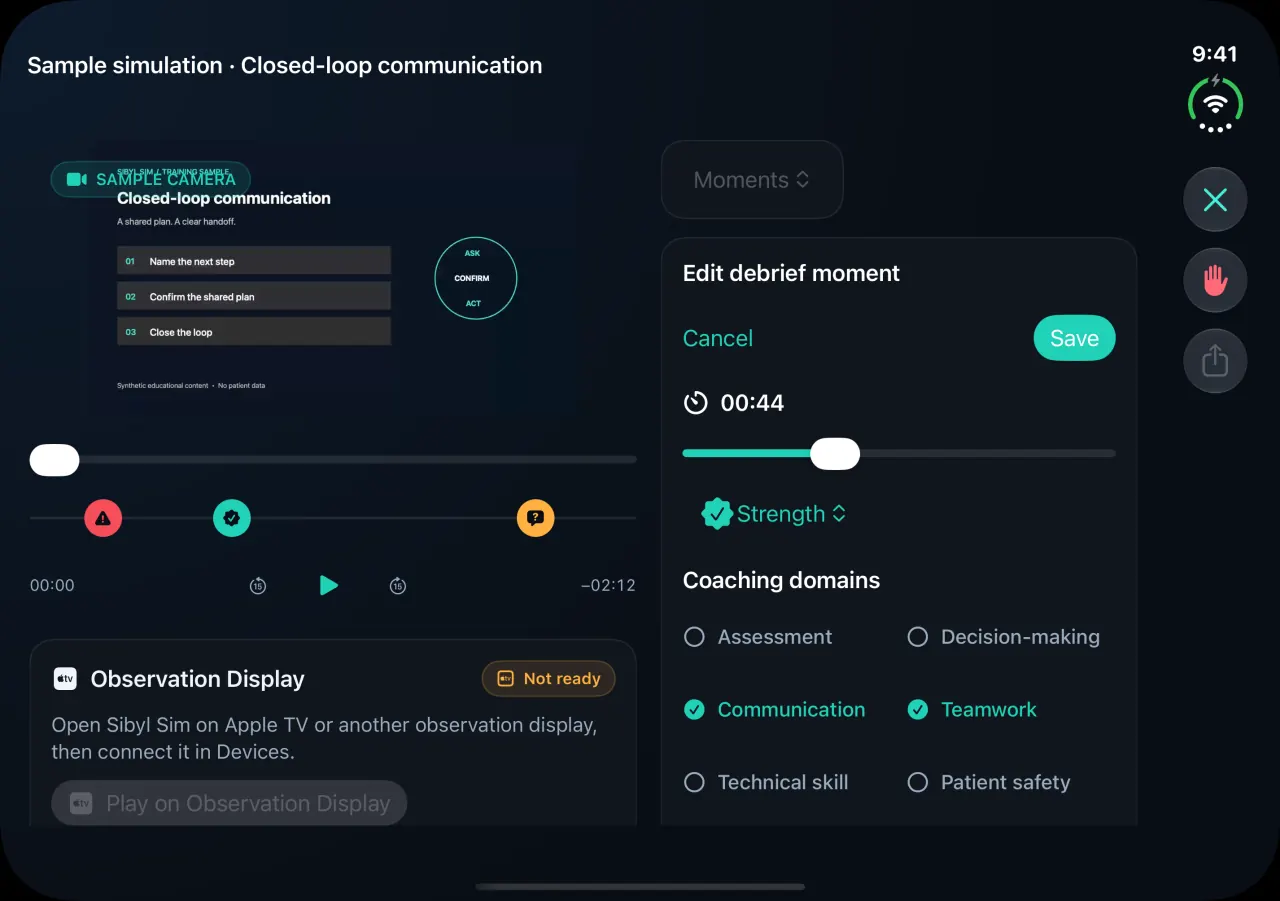
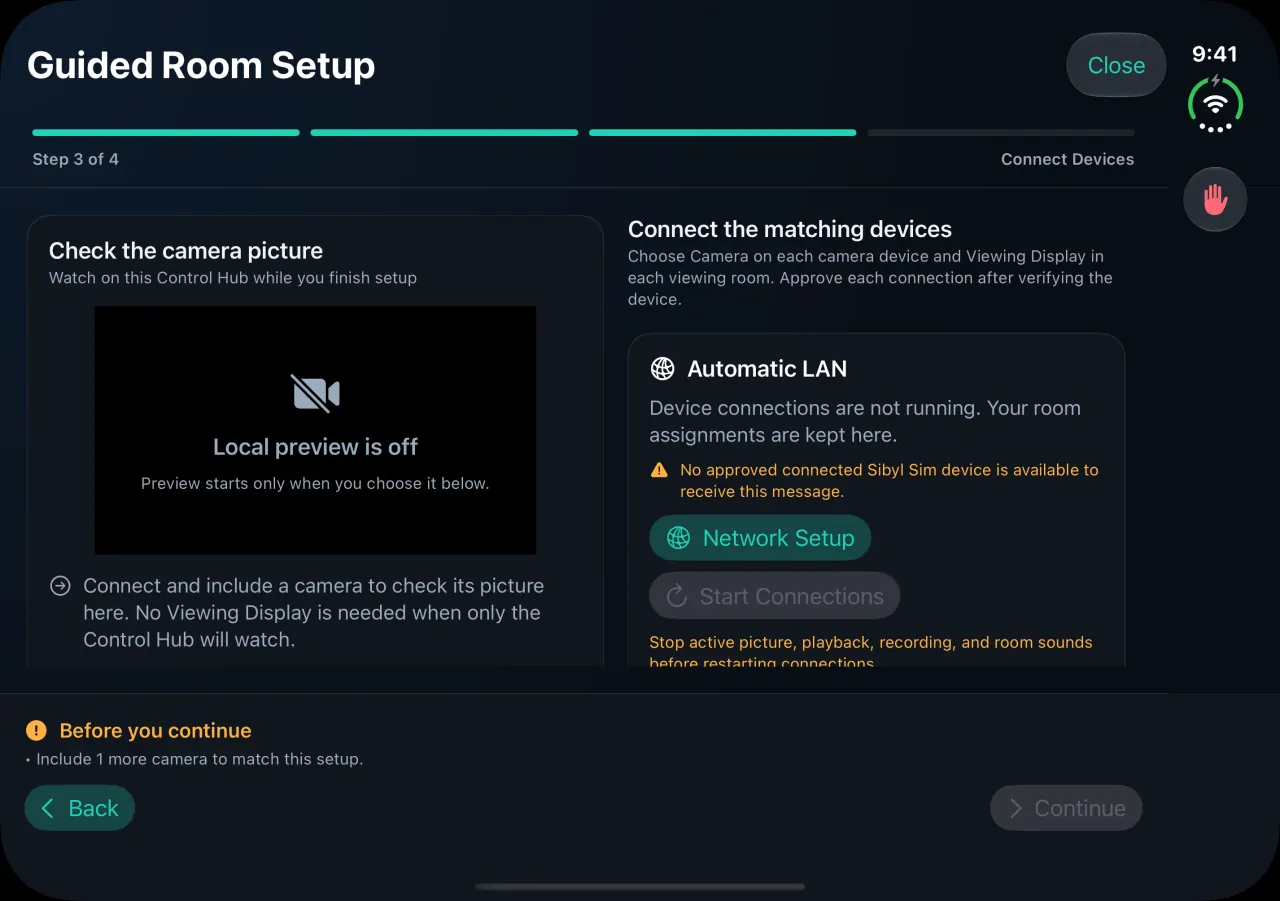
Prepare patient responses beside the live feed, set up a room with a camera preview, and edit debrief moments alongside the recording.
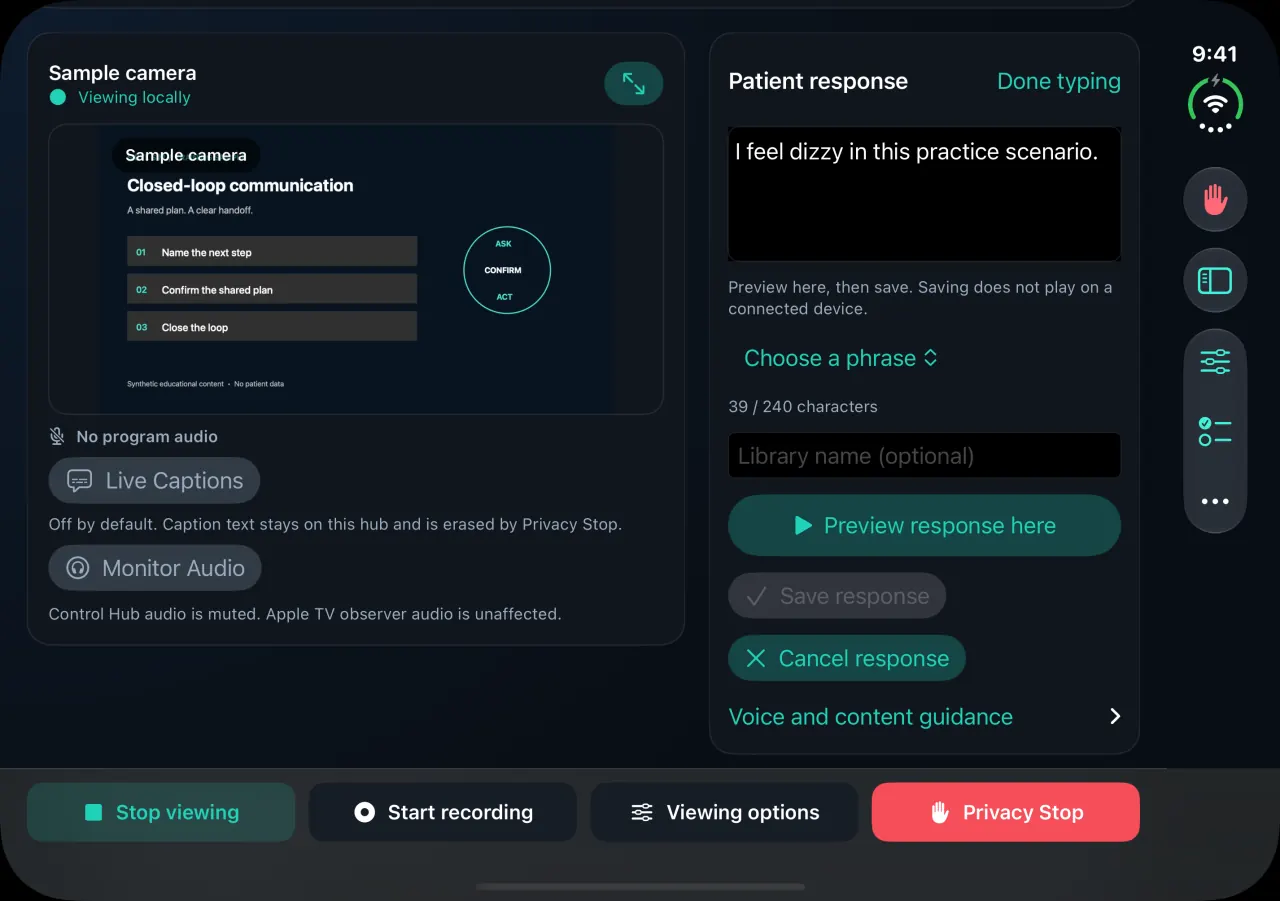
Sibyl Sim on the expanded iPhone Duo screen, patient response editor beside the live sample camera feed
Patient response
Sibyl Sim on the expanded iPhone Duo screen, Guided Room Setup with camera preview and device connections
Guided Room Setup
Sibyl Sim on the expanded iPhone Duo screen, editing a debrief moment beside the recording
Debrief moment

Open Duo for a broader workspace, then return to a compact view with your place and drafts preserved.