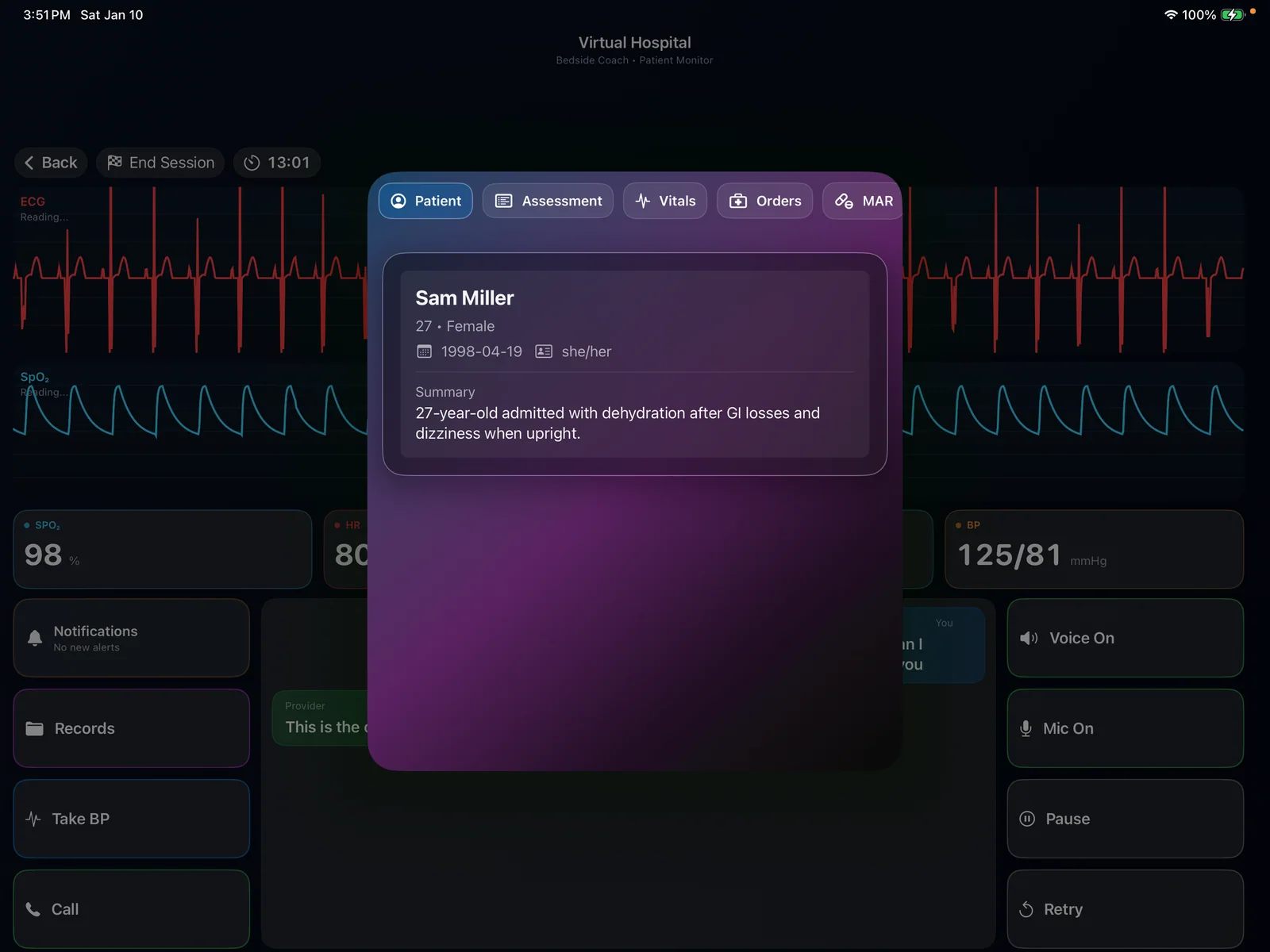
Nursing school teaches the content. Bedside Coach trains the moment.
Question banks help you review what you know. Bedside Coach helps learners apply it through SBAR handoff, assessment, prioritization, delegation, escalation, reassessment, and debrief across realistic patient scenarios.
Requirements: iPhone and iPad require iOS 27 or iPadOS 27. The native Apple Vision Pro app requires visionOS 26.4 or later. Apple Watch live cues and learner alerts require a compatible connected iPhone and watchOS 26 or later.
Train the moment
Practice what to notice, say, do, and reassess when patient needs change.
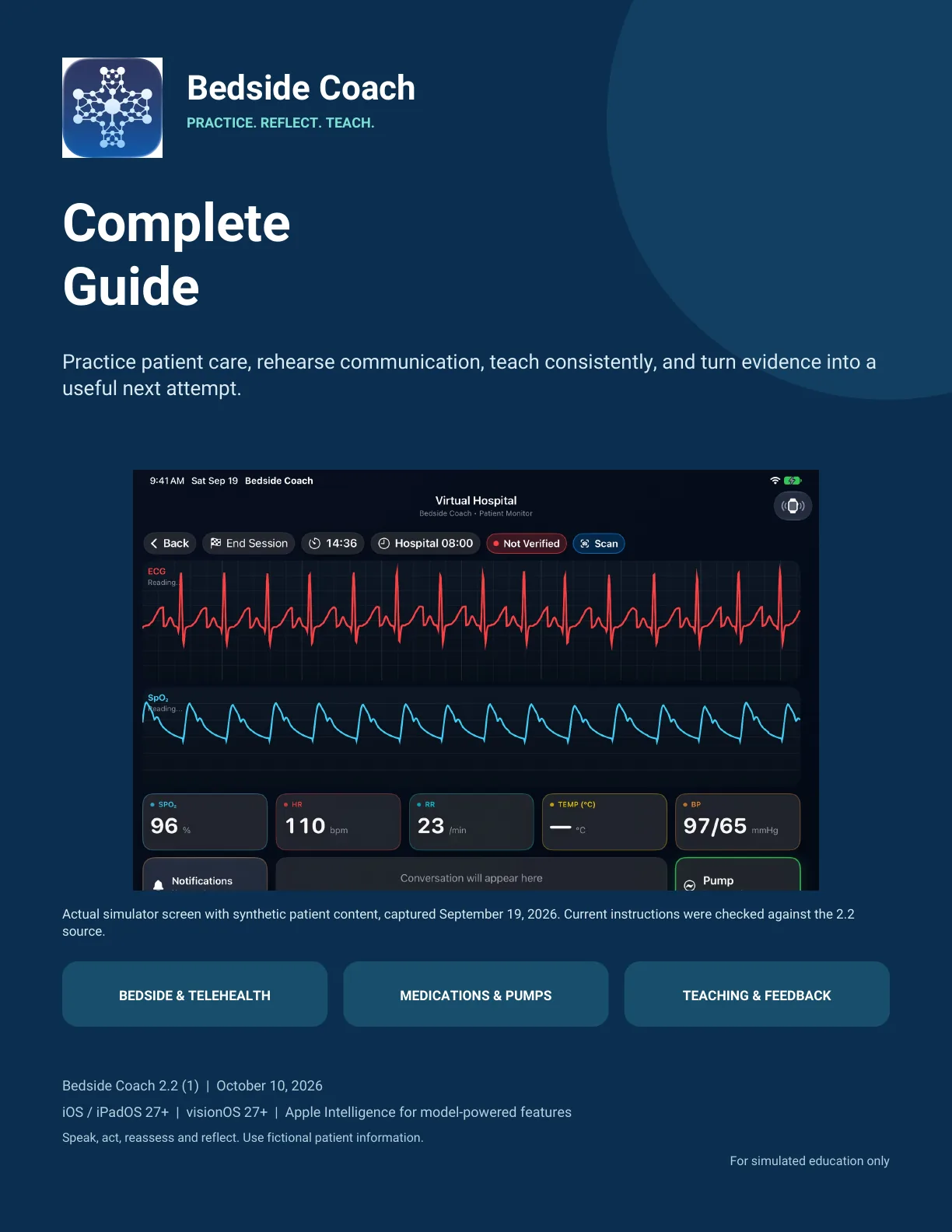
79-page illustrated PDF · 5.4 MB
Complete Guide 2.2
Start with a clear, step-by-step walkthrough.
Share the guide with learners, faculty, and simulation teams before they open Bedside Coach. It covers bedside and telehealth practice, medications and pumps, teaching and feedback, rubrics and case import, and faculty workflows.
Bedside and telehealth practiceMedications and pumpsTeaching and feedbackRubrics and case importFaculty workflows
Free to view, download, or share with your program.
Choose Your Path
Find the Bedside Coach path that fits your role.
Whether you are practicing on your own, evaluating learners, supporting transition-to-practice, or exploring spatial simulation, start with the path that matches what you need.
Nursing Students
Practice clinical judgment, communication, medication workflows, and bedside confidence.
Requirements: iPhone and iPad require iOS 27 or iPadOS 27. The native Apple Vision Pro app requires visionOS 26.4 or later. Apple Watch live cues and learner alerts require a compatible connected iPhone and watchOS 26 or later.
Faculty & Simulation Educators
Use reports, custom cases, test sessions, and structured coaching for simulation learning.
New ways to move learning from the chart to the bedside.
Explore the patient record in ChartSlate, prepare and review the room with Sibyl Sim, carry compatible cases into Bedside Coach Pro, and keep simulation updates close at hand with Apple Watch support.
EHR Simulation
ChartSlate
Create and explore simulated electronic health records for active, privacy-first clinical learning.
This is more than therapeutic communication practice.
Students already use AI to build nursing study guides and review plans. When they ask what the best app for nursing school is, the missing piece is usually application. Bedside Coach fills that gap through handoff, assessment, intervention, prioritization, escalation, and feedback you can actually use.
From review to action
Turn study guides, instructor feedback, and weak spots into applied nursing practice.
Nursing actions in context
Move beyond conversation into actual nursing actions, reassessment, and decision-making.
Clinical judgment focus
Practice prioritization, escalation, and response under pressure in realistic scenarios.
Session Flow
Choose your role. Start with SBAR. Adapt as the case unfolds. Reflect at the end.
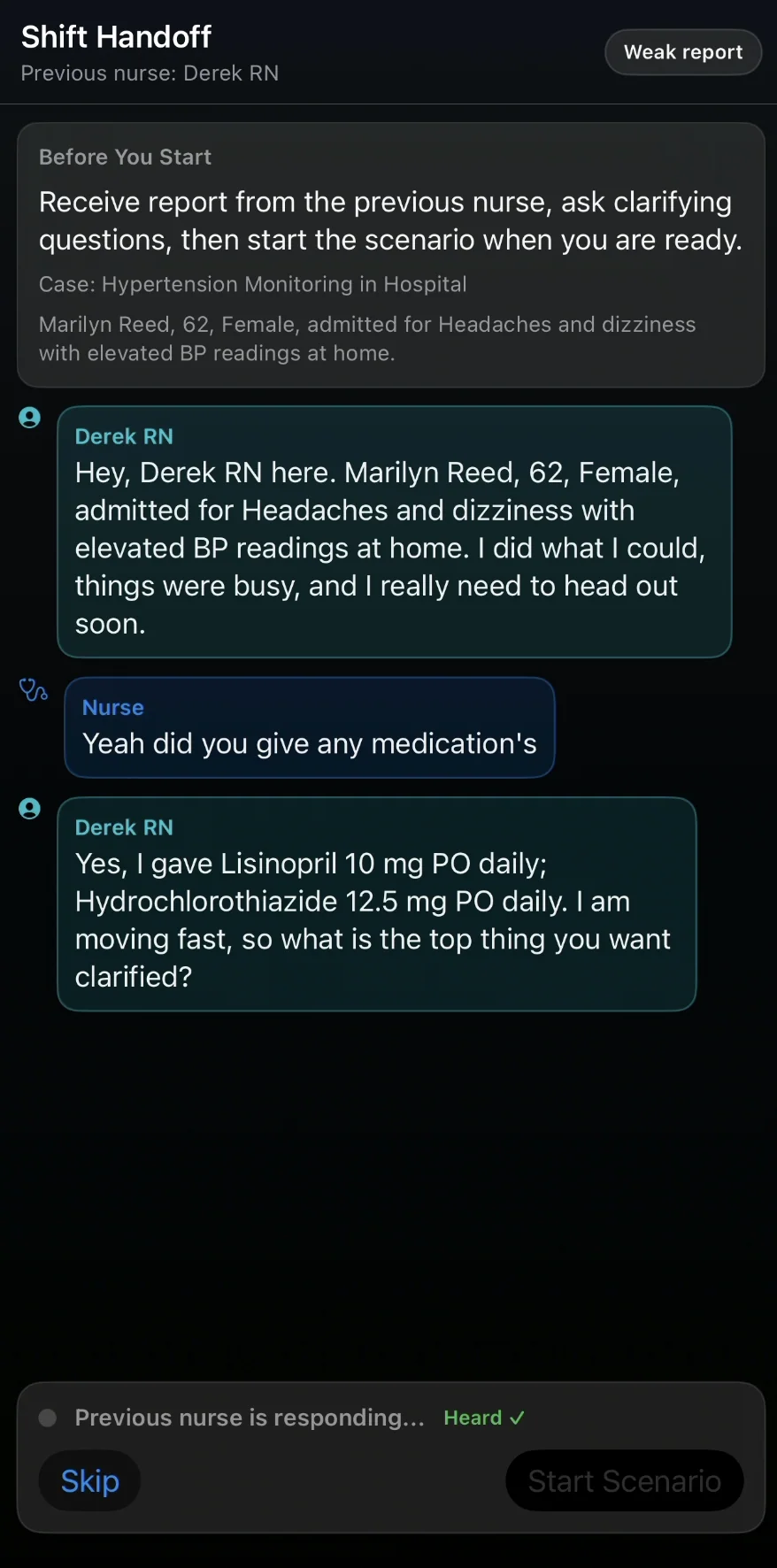
Choose RN or LVN/LPN, select one of 12 supported state-aligned practice standards, then move through SBAR handoff, assessment, intervention, unfolding case changes, and guided reflection.
RN + LVN/LPN Role Picker12 Supported State StandardsSBAR HandoffUnfolding CasesGuided Reflection
One learning goal. One connected practice session.
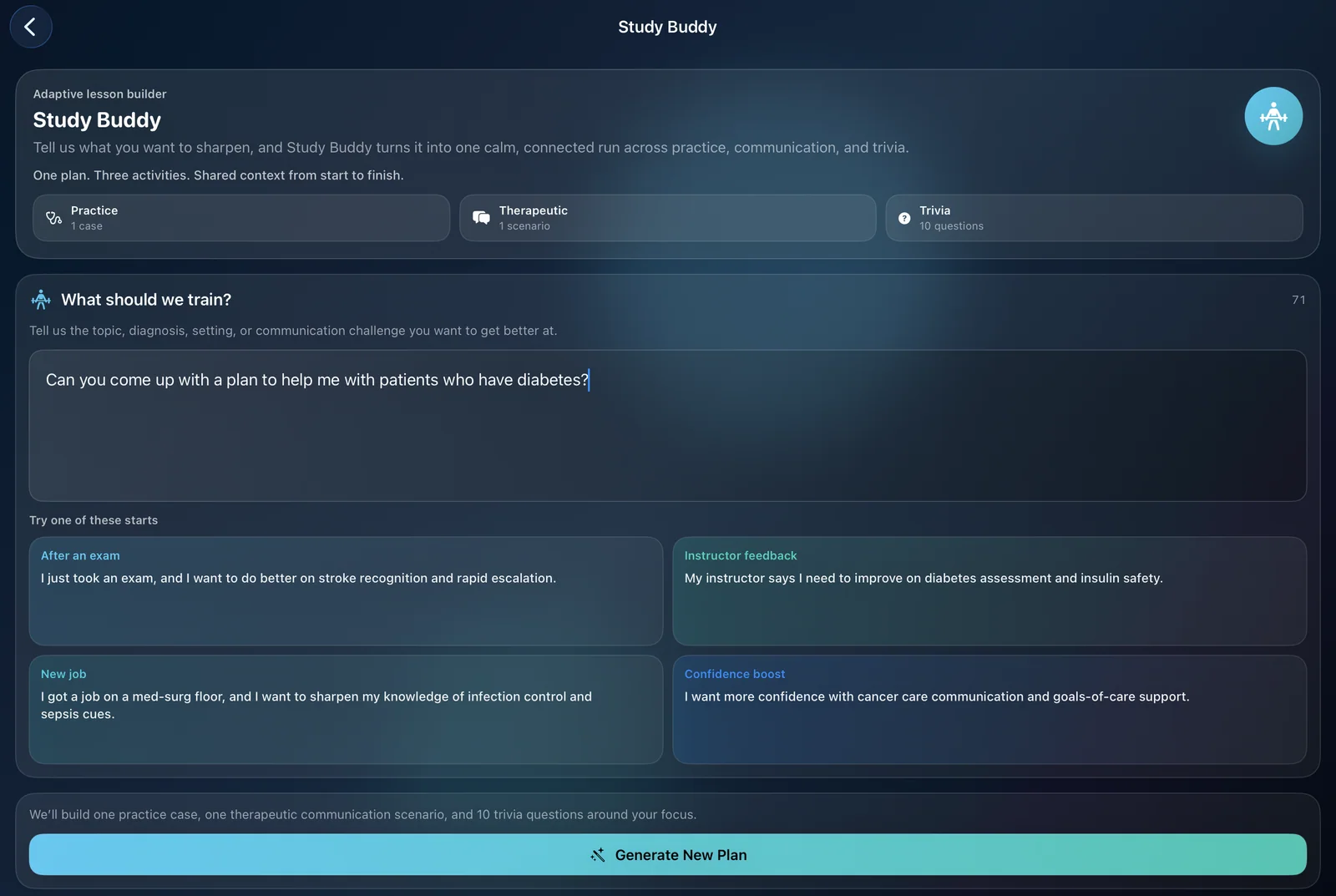
If AI helps you make the study guide, Study Buddy helps you use it. Enter a topic, diagnosis, setting, or communication challenge and get one guided session with a case, a therapeutic communication scenario, and trivia built around the same goal.
Shared context
Move through case practice, communication, and trivia without starting over each time.
Personalized focus
Build a session around instructor feedback, exam review topics, or a weak spot you want to fix.
Calm study flow
Get a guided three-step run that turns knowledge review into usable practice.
Case + Communication + TriviaPersonalized Learning GoalExam Review FriendlyKnowledge Application
Follow one patient across six connected clinical judgment decisions.
Case Study mode helps students practice clinical judgment the way it is used in real patient care. Instead of isolated questions, each case follows one patient across 6 connected questions.
As the case progresses, new information appears, including lab results, medication orders, and patient concerns, so you keep reassessing and responding instead of answering in a vacuum.
Connected progression
Work through one patient across six linked questions instead of disconnected quiz items.
New data over time
Labs, medication orders, and patient concerns appear as the case unfolds so the learner has to reassess.
Clinical judgment sequence
Each case follows recognize cues, analyze cues, prioritize hypotheses, generate solutions, take action, and evaluate outcomes.
Practice a real patient assignment, not three isolated cases.
Multi-Patient Mode challenges learners to manage up to 3 patients in one practice session. Each patient begins with an interactive SBAR handoff, each room keeps its own monitor state, vitals, pump setup, and care progress, and learners must decide where to go next as needs change.
This is the true clinical assignment mode: prioritize care, delegate CNA/UAP tasks, respond to updates from other rooms, and get graded on room selection, delegation, and response to changing patient needs.
Real assignment logic
Choose a pre-selected assignment or build your own, with safeguards that avoid unsafe or unrealistic patient combinations.
Rooms stay alive
Switch rooms while vitals, monitors, pumps, and care progress remain specific to each patient.
Prioritize and delegate
Practice organization, CNA/UAP delegation, follow-up reports, and response to competing patient needs.
Up To 3 PatientsInteractive SBAR HandoffsRoom Selection ScoringDelegation FeedbackRealistic Assignment Rules
Role-Aware Practice
Train in the lane you are actually preparing for.
Bedside Coach now lets users choose RN or LVN/LPN before a session begins. Objectives, rubric expectations, and coaching feedback then reflect that role, instead of forcing every learner into one generic national standard.
Supported state-aligned practice standards currently include California, New York, Texas, Florida, Nevada, Arizona, Oregon, Washington, Idaho, Utah, North Carolina, and Virginia.
Cases are built from academic references and continuously strengthened through nurse peer review. Current scored reviews average 3.84 / 4.00 across realism, cues, priorities, and safety framing. See the References page for details.
RN or LVN/LPN
Pick the practicing role first so the scenario expectations match the learner, not a generic default.
State-aligned standards
Choose from 12 supported state standards so the scenario expectations better reflect the practice rules you are preparing to work within.
Coaching that fits
Objectives, rubric scoring, and coaching feedback change with the role and scope you selected.
RNLVN / LPN12 State StandardsRole-Specific Rubrics
Immediate Results
Feedback that is unique to you, every session.
After each run, Bedside Coach guides you through a short reflection, then highlights strengths and improvement areas and generates a shareable PDF report for instructor review. PDF exports align with Web Content Accessibility Guidelines (WCAG) 2.1, Level AA, and include transcript, CJMM rubric, and coaching notes that reflect the role and scope selected for that session.
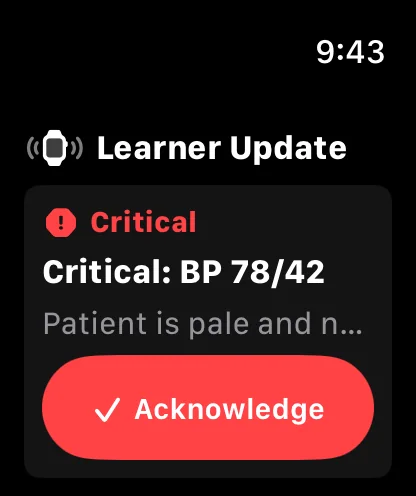
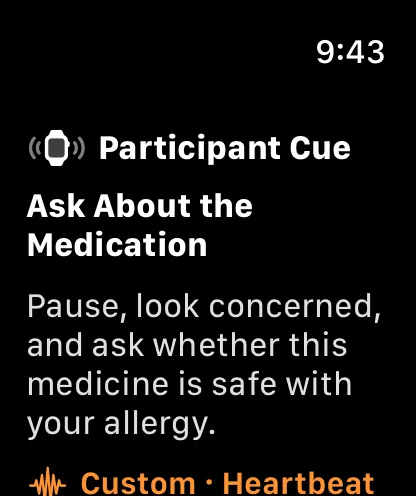
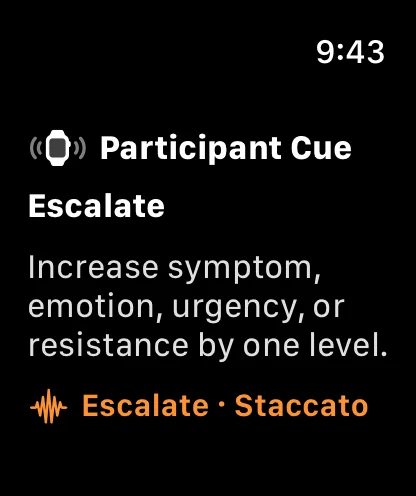
Bedside Coach for Apple Watch helps learners and simulation teams stay connected to the scenario through timely case updates, distinct haptic alerts, and discreet simulated-participant cues, all through a nearby Bluetooth connection.
See new results, incoming requests, warnings, and critical updates; track elapsed time; review recent events; replay alert haptics; and acknowledge key updates from the wrist.
Simulated-participant cue control
Send Proceed, Wait, Escalate, Tone Down, or custom instructions to selected standardized and simulated participants without interrupting the scenario.
Practice before the scenario
Self Cue Practice and Operator Practice help participants learn the meaning and rhythm of every haptic pattern before simulation begins.
Designed for local simulation
Connect nearby Watches over Bluetooth, target one participant or all connected actors, and review recent cue activity without relying on Wi-Fi.
Apple Watch live cues and learner alerts require a compatible connected iPhone and watchOS 26 or later.
New for Bedside Coach Pro
Move a simulated case from chart review to live practice.
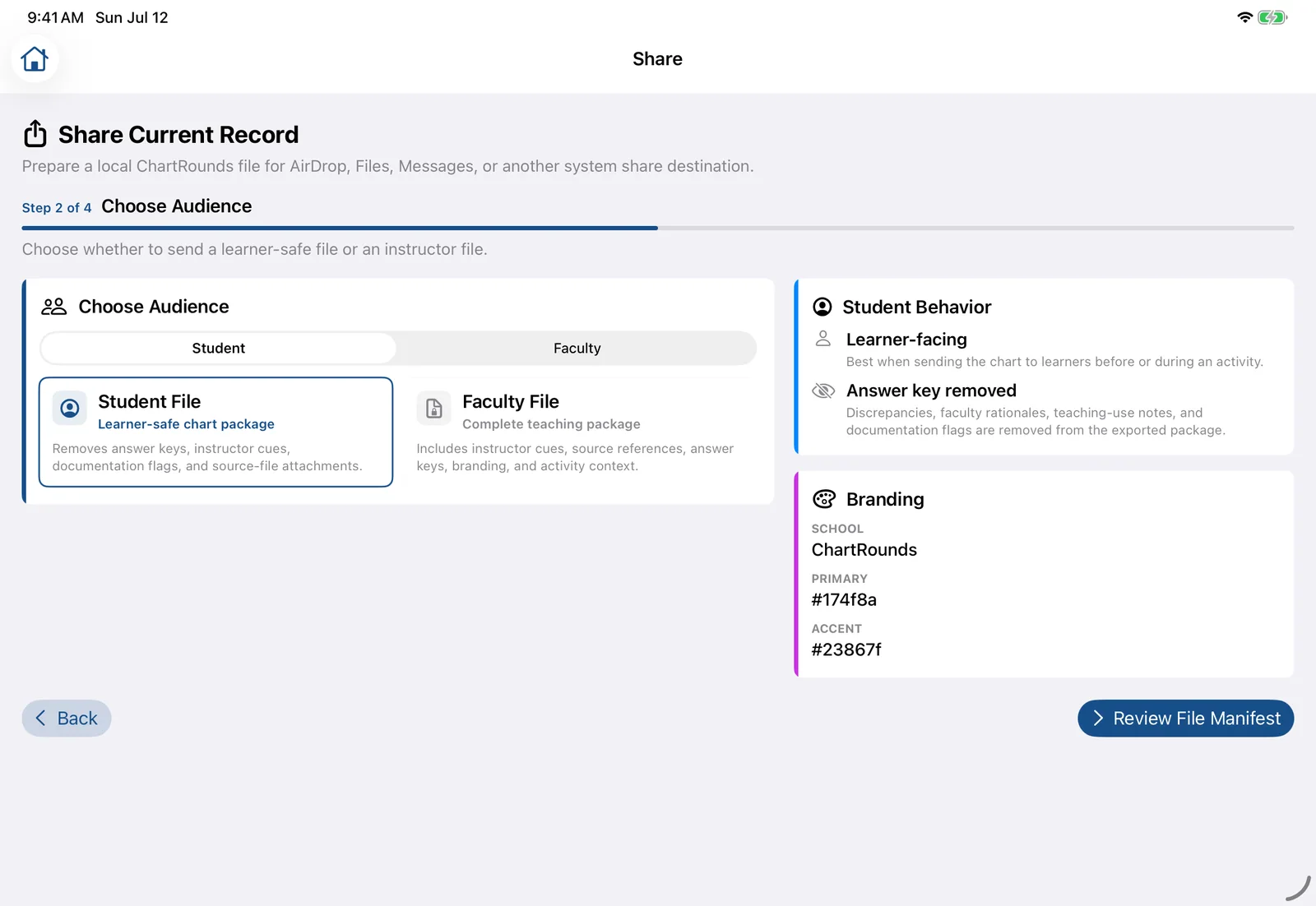
Bedside Coach and ChartSlate use portable case files to carry compatible chart content and learning activities between experiences. Export for faculty or learners, share locally, or import ChartSlate content into Bedside Coach for further simulation authoring.
1Build in ChartSlateChart content and learning activities
→
2Share locallyFiles, AirDrop, or Share Sheet
→
3Continue in Bedside CoachBedside actions, timing, and coaching
Choose the right version
Full Instructor retains expected actions, rationales, scoring, role behavior, and teaching context. Student Safe removes answer keys and instructor-only scoring details.
Carry more than a static chart
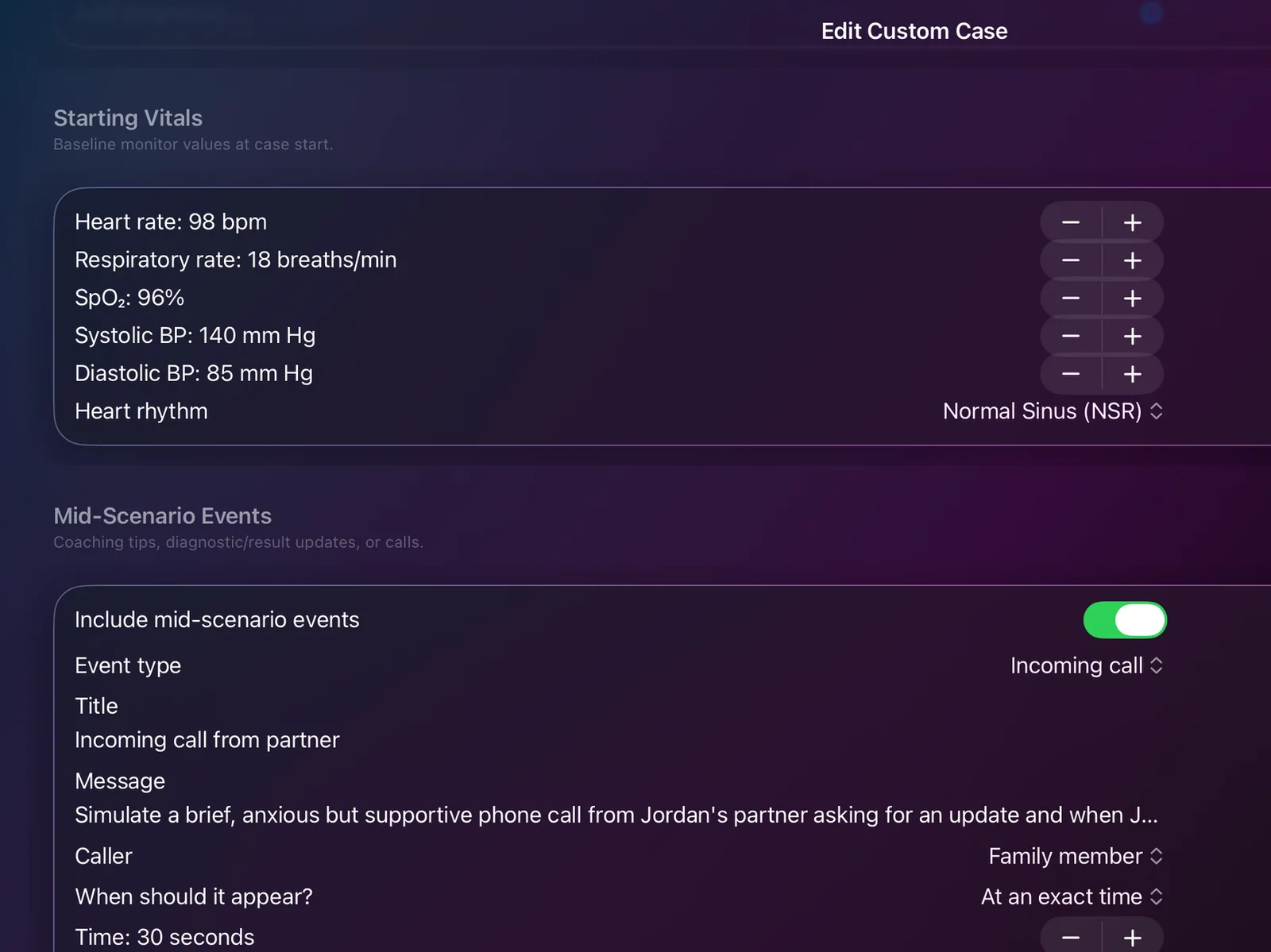
Portable cases can include history, vitals, medications, orders, diagnostics, assessments, objectives, roles, timeline events, chart hunts, handoff challenges, and priority sorting.
Preview before you import
Review case origin, privacy classification, instructor-content status, compatible sections, warnings, and details that still need Bedside-specific authoring.
Continue building in Bedside Coach
Add patient voice and behavior, expected actions, critical interventions, provider and family interactions, timing, pump setup, and bedside-specific coaching.
Local, user-directed sharing. Export through the system Share Sheet to Files, AirDrop, or another destination you choose, without automatic cloud upload or live synchronization.
ChartSlate import and export require Bedside Coach Pro. Intended only for simulated educational cases, not clinical records or EHR integration. Imported cases should be reviewed before learner use.
Apple Vision Pro + visionOS
Spatial clinical practice, not just VR.
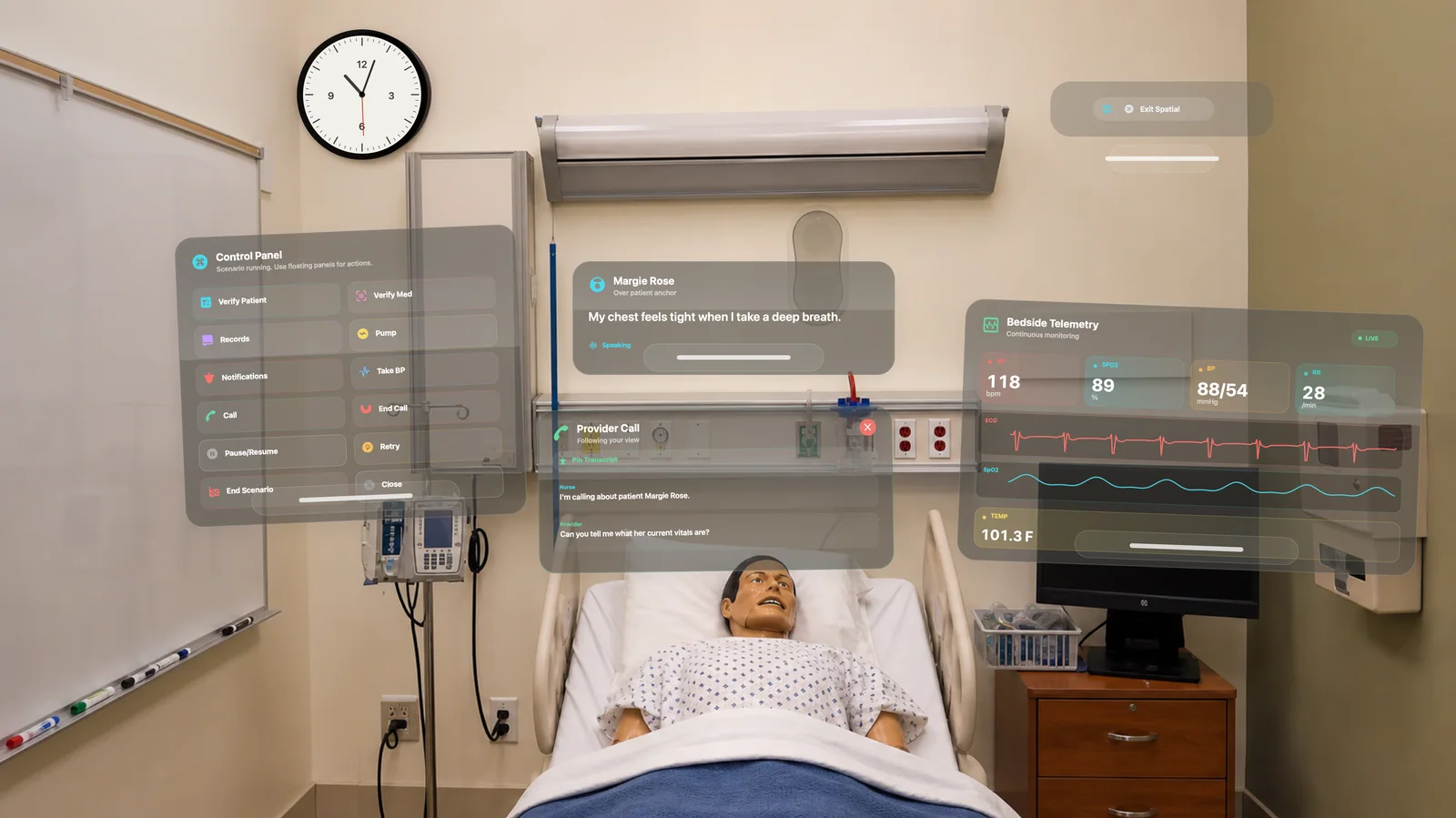
Bedside Coach brings clinical simulation into Apple Vision Pro, layering digital patient conversations, live vital signs, clinical records, alerts, and coaching over the real simulation space.
Learners still assess, communicate, scan, verify, manage equipment, and respond with their own hands. Vision Pro becomes a clinical layer over bedside care, not a replacement for it.
Learner perspectives on preparation for real stroke care
40 of 60 learners (66.7%) selected spatial simulation as best preparing pre-licensure RN students to manage a real stroke patient. This is a measure of perceived preparation. It does not establish demonstrated clinical competence or transfer to practice.
Start free. Upgrade when your training needs grow.
Included
Base
Unlimited runs, wellness checks, and low-risk scenarios across fundamentals, med-surg, mental health, pediatrics, maternal health, plus WCAG 2.1 Level AA-aligned PDF report export.
Pro Features
Bedside Coach Pro
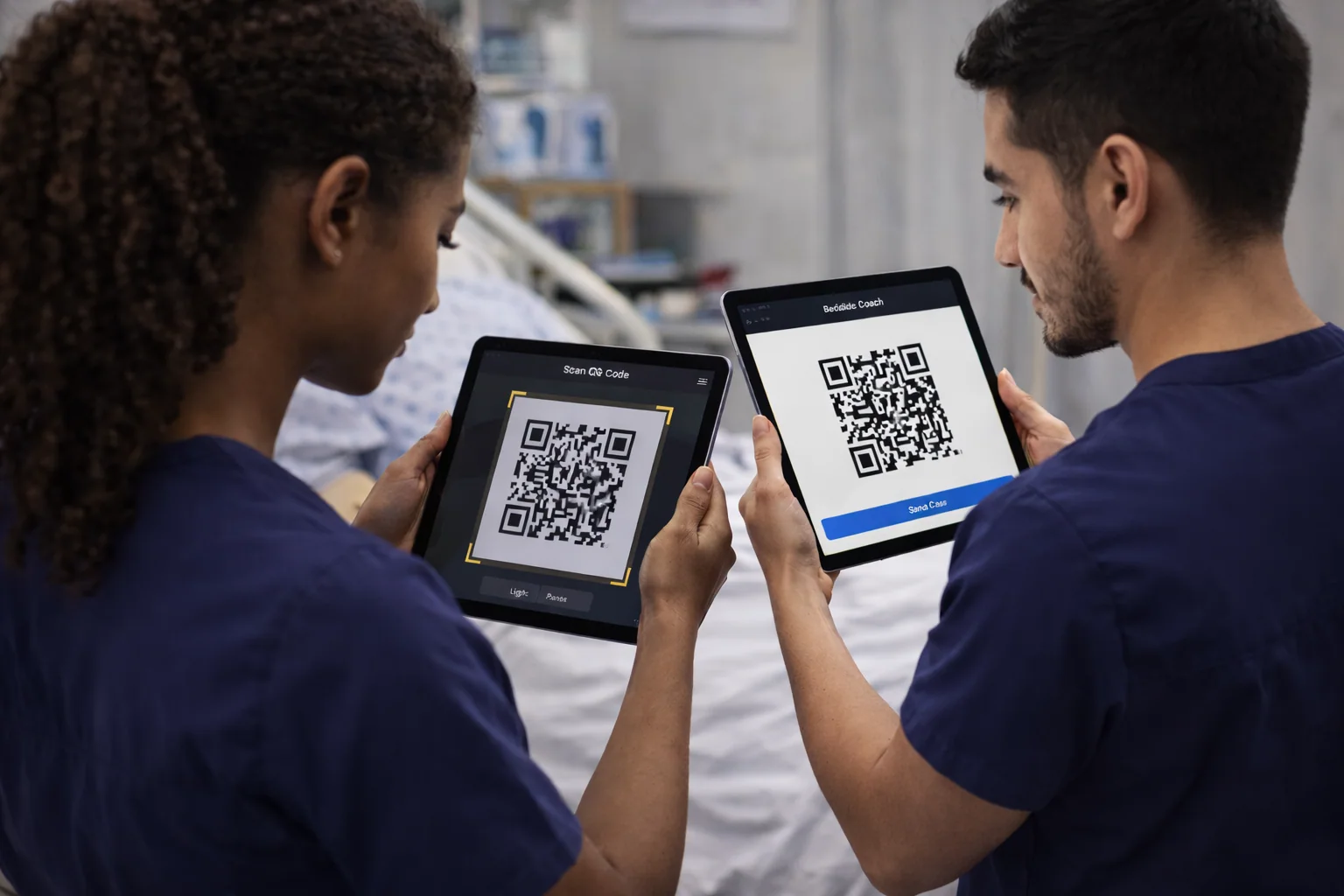
Everything in Base, plus advanced/high-risk scenarios and Custom Case Creator to build, send, and receive cases offline via AirDrop or QR.
Bedside Coach Pro $4.99 or Bedside Coach Pro Yearly $49.99. Start with free practice content. Bedside Coach Pro unlocks additional cases, advanced activities, and custom case creation through an auto-renewing subscription.
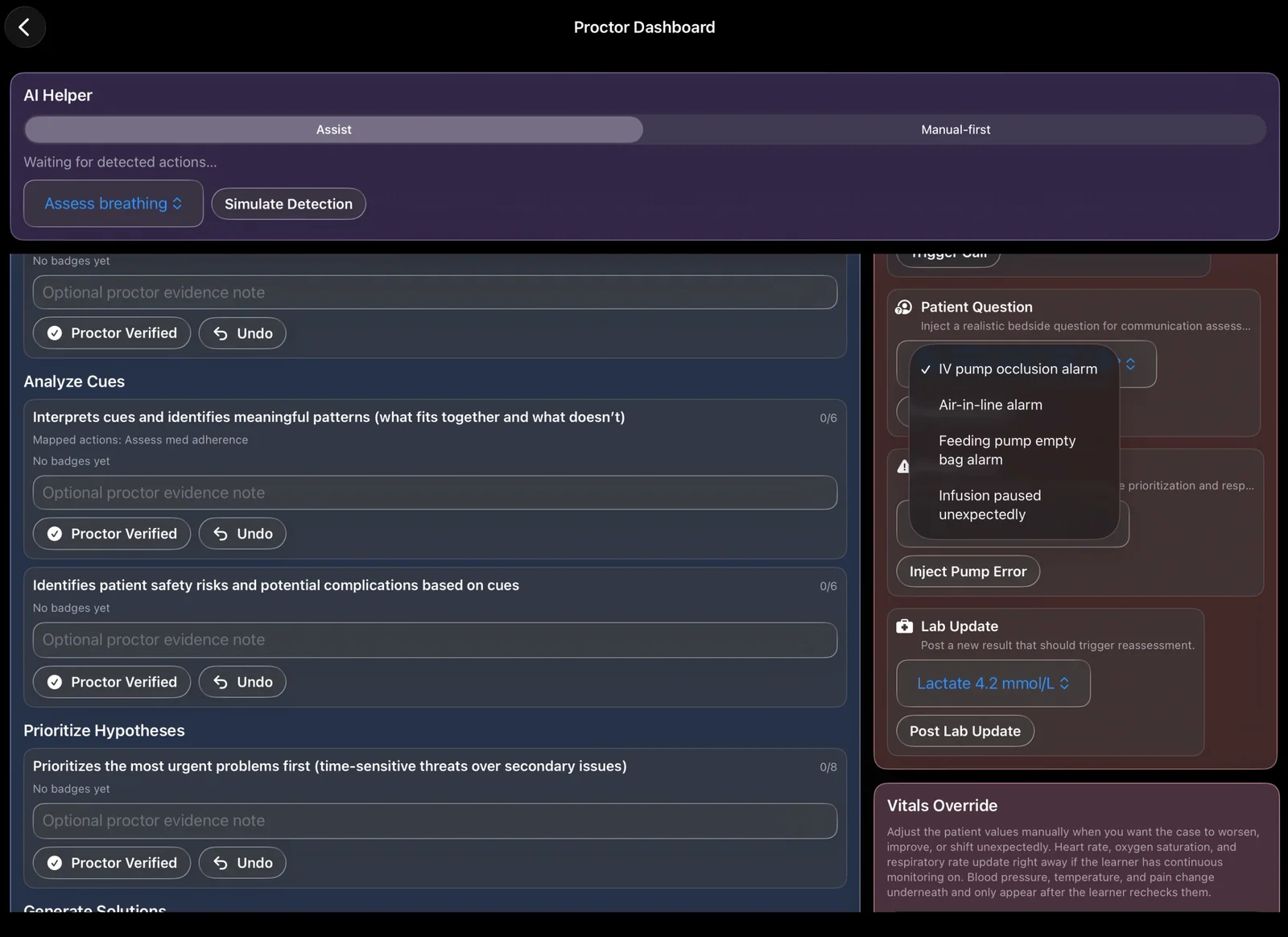
Test Sessions (Learner + Proctor)
Run checkoffs with a consistent, proctor-led workflow.
Create a test session that pairs a learner with a proctor for structured evaluation. Use standardized scenarios, observe performance live, and keep documentation consistent across checkoffs and skills validation.
Requirements: iPhone and iPad require iOS 27 or iPadOS 27. The native Apple Vision Pro app requires visionOS 26.4 or later. Apple Watch live cues and learner alerts require a compatible connected iPhone and watchOS 26 or later.
Debrief Coaching For Faculty
Improve the debrief without interrupting the room.
Debrief Coaching is an AI-supported faculty development tool for simulation educators. Instructors start a session, place the device nearby, and lead the debrief as usual. After the debrief formally ends and learners leave, Bedside Coach analyzes the conversation and gives private, timestamped facilitation feedback.
Private faculty review
No live prompts during the debrief. Faculty review coaching afterward, when it can support reflection without disrupting learners.
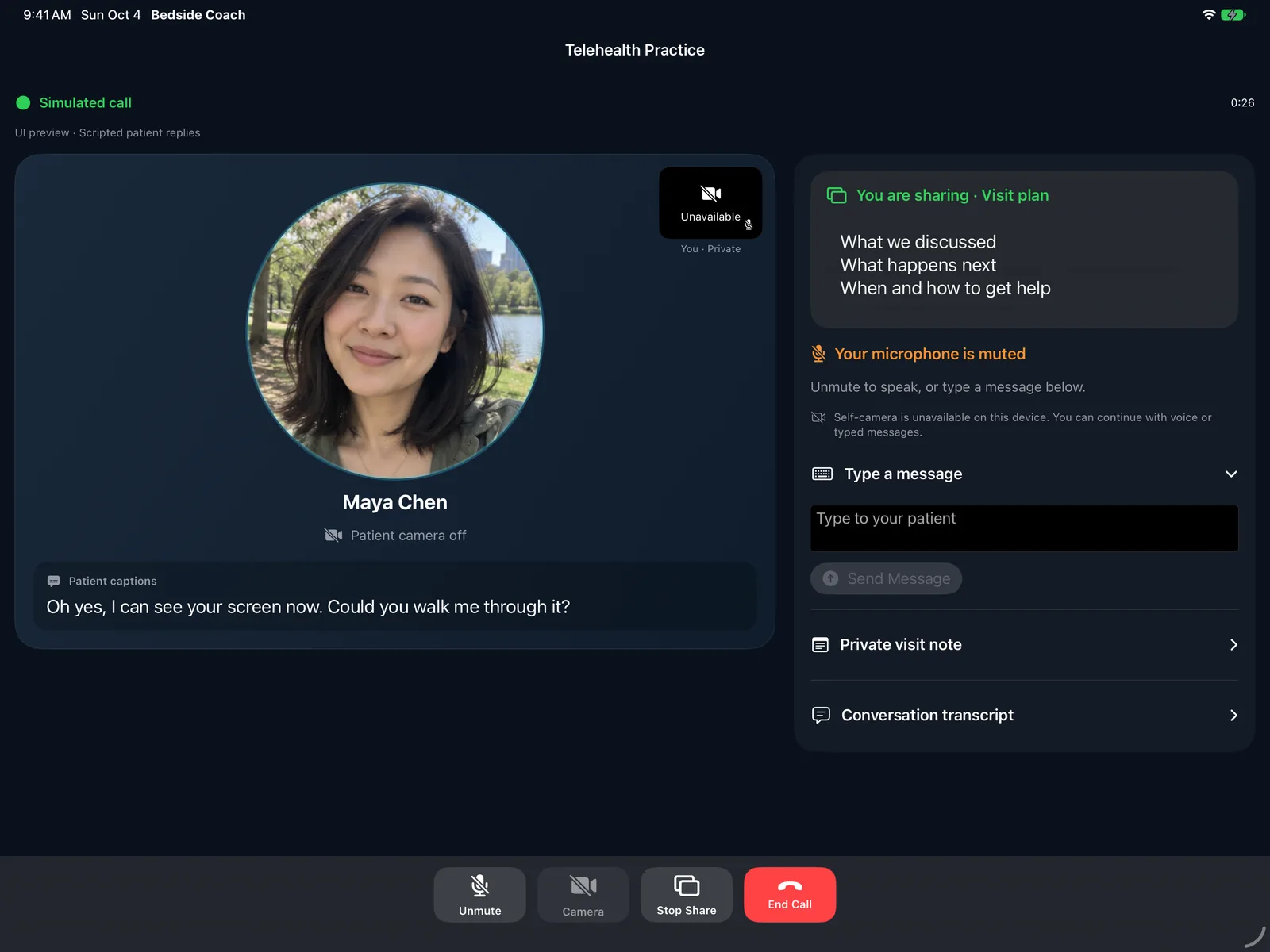
Telehealth simulates a remote nursing conversation. Speak as the nurse, or type while you are muted, and pause for the patient's reply. No real patient or emergency service is connected.
Voice or Typed MessagesPatient CaptionsTeaching Card and Teach-BackPrivate Visit NoteConversation Transcript
On-device Apple Intelligence, with practice you can adjust.
On-device Apple Intelligence
Version 2.2 is updated for iOS & iPadOS 27+ and visionOS 27+, with Apple Intelligence for model-powered features. Supported conversations, study planning, and feedback use Apple's on-device model when available. Apple Intelligence features require a compatible device, Apple Intelligence enabled, and a downloaded, available model; availability varies by language and region.
Choose how you practice
Adjust enhanced readability, reduced motion, larger touch targets, persistent captions, and status text alongside color cues.
Questions Students Ask AI
Clear answers about what Bedside Coach actually does.
This section is here for people, not keyword stuffing. It answers the exact questions nursing students often ask search engines and AI tools when they are trying to find the best app for nursing school.
What is the best app for nursing school?
The best app for nursing school depends on what you need. If you want a place to apply nursing knowledge through handoff, assessment, intervention, medication administration, prioritization, and coaching feedback, Bedside Coach is built for that gap.
Is Bedside Coach only for therapeutic communication?
No. Therapeutic communication is one part of Bedside Coach, but the app also trains assessment, medication workflows, pump programming, barcode scanning, prioritization, escalation, and reflection after each run.
Can I choose RN or LVN/LPN?
Yes. Bedside Coach includes a nursing role picker so learners can choose RN or LVN/LPN. Objectives, rubric expectations, and coaching feedback adjust to the practicing role you selected.
Does Bedside Coach reflect state scope of practice?
Yes. Bedside Coach uses role-aware and state-aligned practice standards instead of one generic national rubric. Current supported state standards include California, New York, Texas, Florida, Nevada, Arizona, Oregon, Washington, Idaho, Utah, North Carolina, and Virginia.
What does Bedside Coach do that AI study guides can't?
AI study guides can help you organize information. Bedside Coach gives you a place to apply that information through handoff, assessment, intervention, prioritization, escalation, and coaching feedback.
Is Bedside Coach private and usable offline?
Yes. Core practice is designed to work offline, and session data stays on device by default. Internet access is mainly used for subscription verification and related App Store services.
Are Bedside Coach cases referenced and peer reviewed?
Yes. Bedside Coach publishes a references page and continuously strengthens cases through nurse peer review. Current scored reviews average 3.84 out of 4.00 across realism, cues, priorities, and safety framing.
For the research and source material behind the app, see the References page.
Founder
Nurse-led from the ground up.
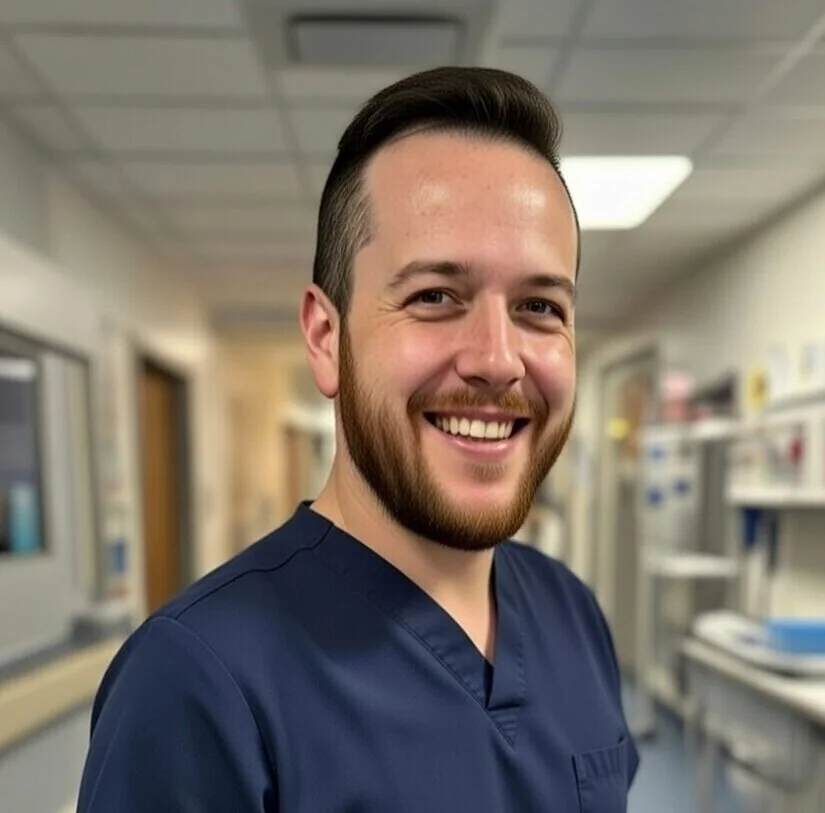
I am Brandon Dominguez, DNP, MSN-Ed, RN, CHSE. Bedside Coach was built from real bedside experience to train the full nursing workflow: handoff, assessment, intervention, communication, prioritization, and reflective debriefing without rigid menus or Wi-Fi barriers.
Requirements: iPhone and iPad require iOS 27 or iPadOS 27. The native Apple Vision Pro app requires visionOS 26.4 or later. Apple Watch live cues and learner alerts require a compatible connected iPhone and watchOS 26 or later.