
CNA Studio
A study companion for California nurse assistant students.
Learn the 17 training modules outlined by the California Department of Public Health (CDPH) as you prepare for CNA certification. Read illustrated lessons, try the Workbook, and practice care decisions with Scrubby.
Available free for iPhone and iPad, with no account or subscription required.
The screenshots on this page show development build 1.0 (26). Question Lab and the new module insights are previews of an upcoming update.
Development preview · Build 1.0 (26)
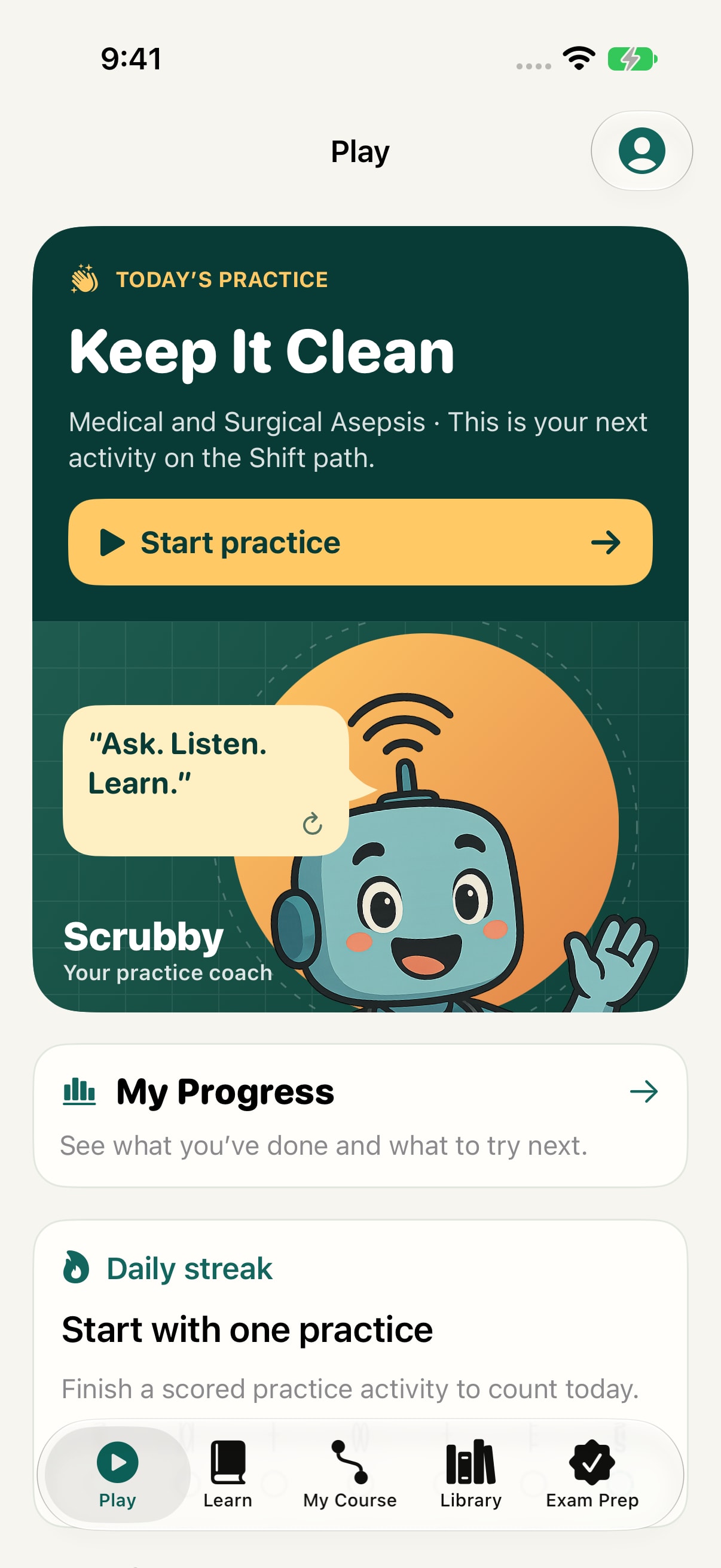
Play with Scrubby
Start a short practice session from Play.
View full-size screenshot of Play with ScrubbyThe Golden State course
Read a lesson, then try the Workbook.
Start in Learn and choose a module. Its readings, questions, and activities help you return to the same idea in different ways.
Development preview · Build 1.0 (26)
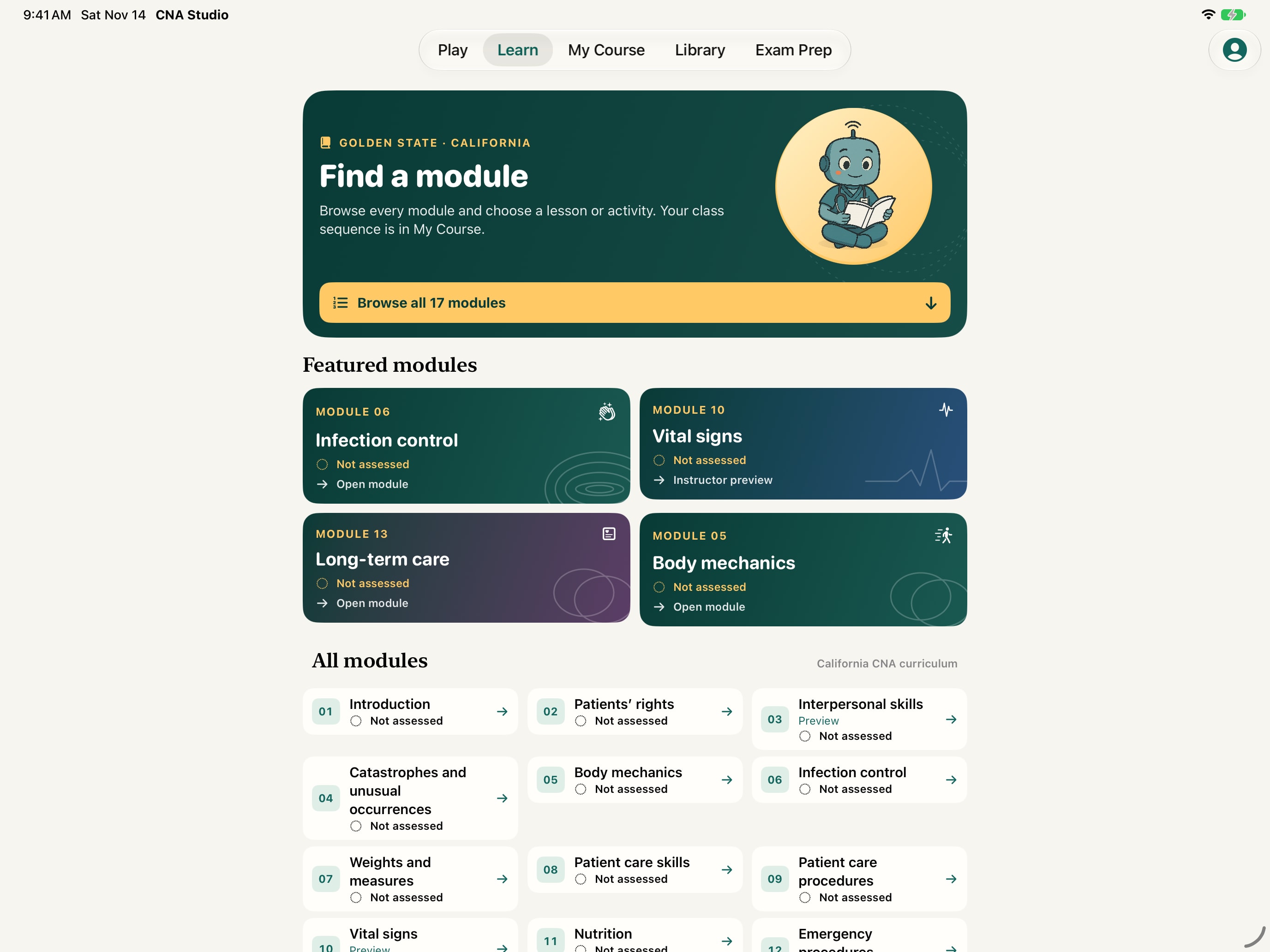
Choose a module in Learn
Open a module to find its readings and related activities.
View full-size screenshot of Choose a module in Learn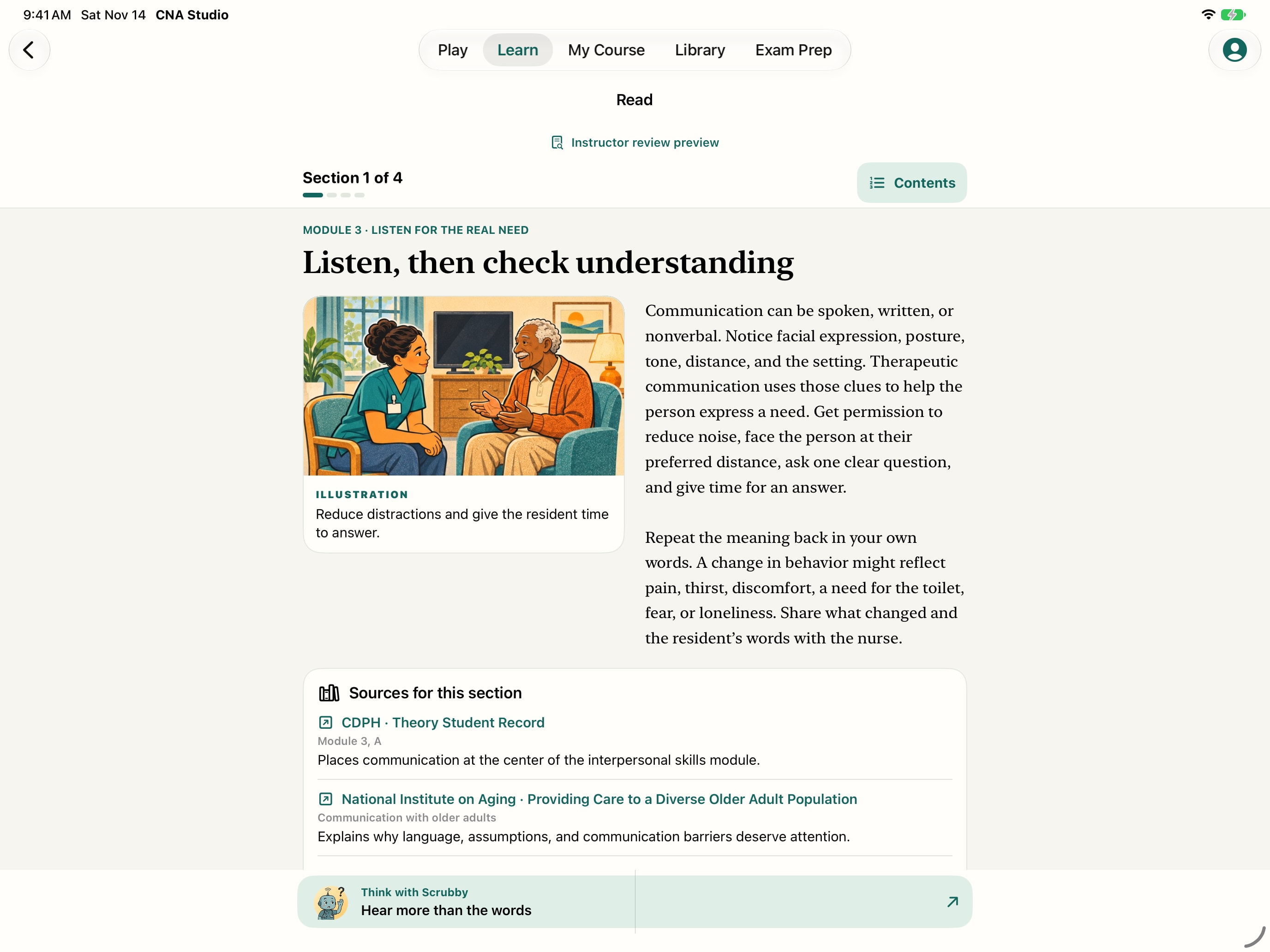
Development preview · Build 1.0 (26)
Read an illustrated lesson
Move through sections with illustrations, captions, and related sources. Pick up where you left off.
View full-size screenshot of Read an illustrated lesson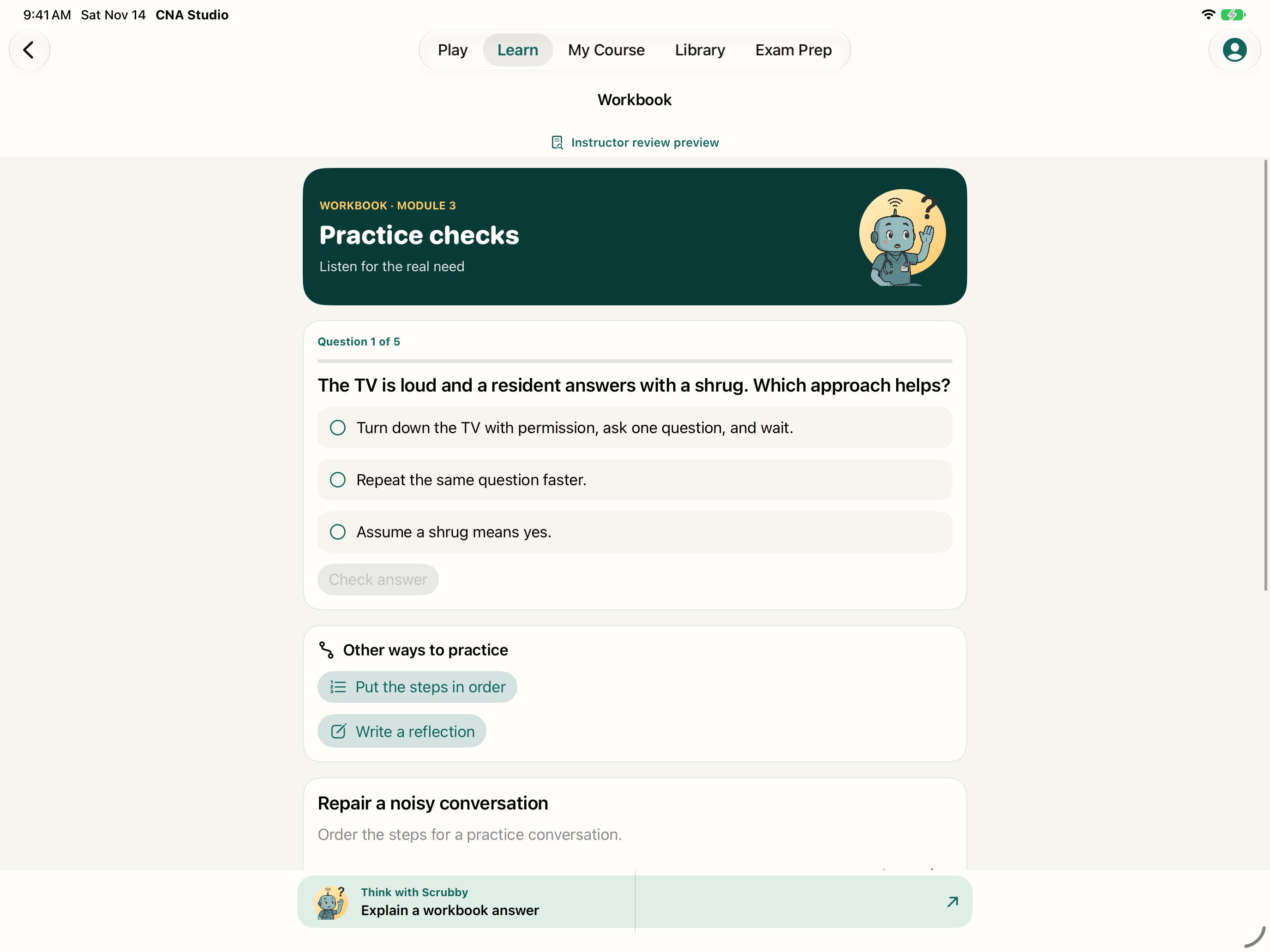
Development preview · Build 1.0 (26)
Check it in the Workbook
Choose an answer and check the explanation. Workbooks also include ordering exercises and reflection.
View full-size screenshot of Check it in the WorkbookThese two screens show Module 3, “Listen for the real need.” Read about checking understanding, then apply the idea to the Workbook’s loud TV question.
Scrubby’s coaching · Development preview
Think it through with Scrubby.
Scrubby uses Socratic questions to help you notice a clue, explain your reasoning, and consider your next step. His check-ins connect to readings, Workbook questions, Practice Shifts, skills, media, and rehearsals.
Notice the clue
“Which detail in the passage helps you decide what to do?”
Explain your reasoning
“Why does that detail matter for the resident?”
Try another situation
“How would you use this idea in another fictional care situation?”
Get a hint, then choose your next activity.
Open a lesson hint, compare your response with an example, or revisit the supporting passage. After an activity, Scrubby suggests a related reading, a Workbook check, or another way to practice.
Explore Question LabPractice with Scrubby
Make a decision. Work through the feedback.
Try a short Practice Shift, rehearse a skill, or explore a focused activity. Each gives you a way to apply what you studied.
Development preview · Build 1.0 (26)
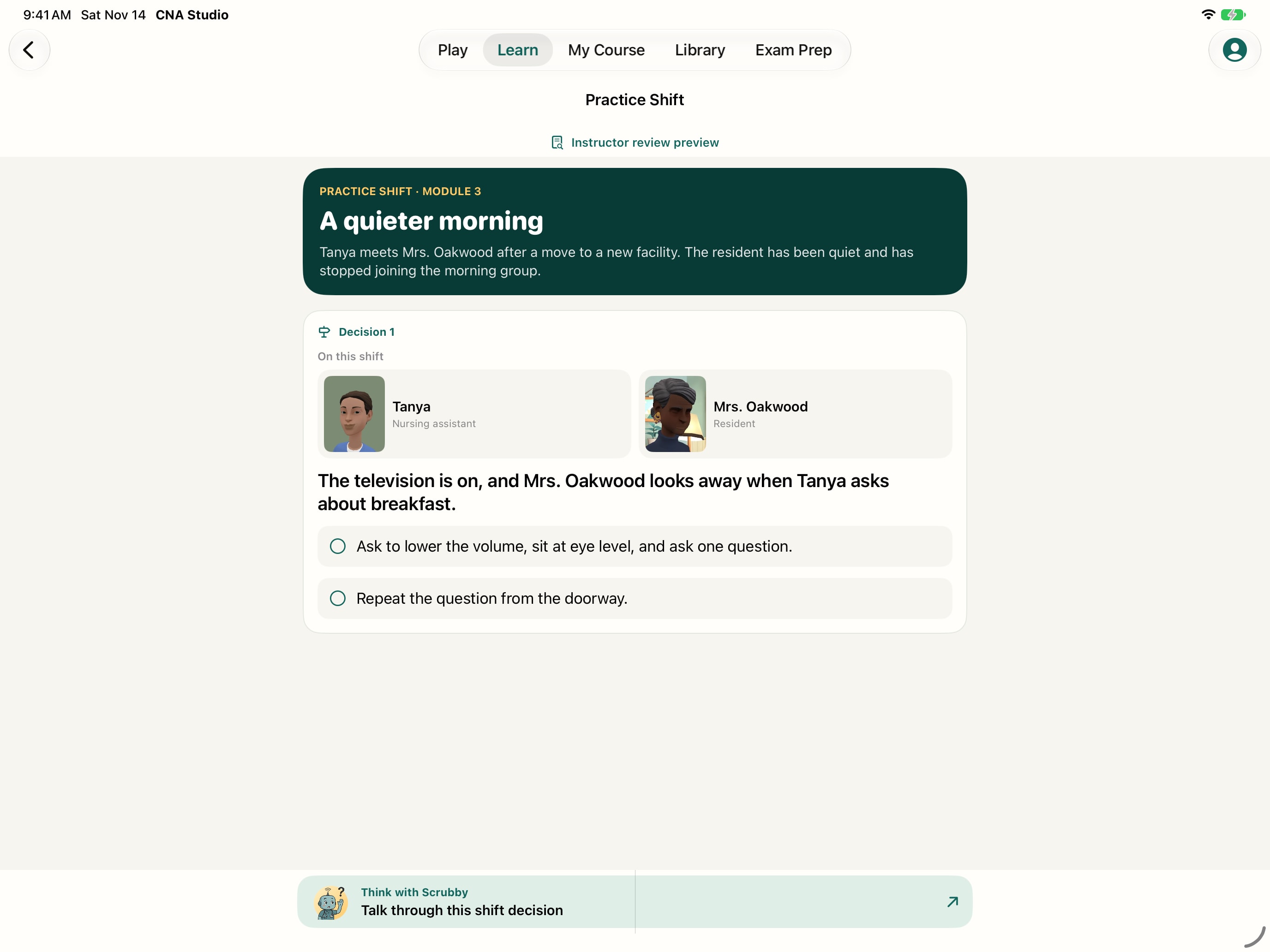
Make a care decision
Follow fictional characters through a branching Practice Shift and consider what to do next.
View full-size screenshot of Make a care decision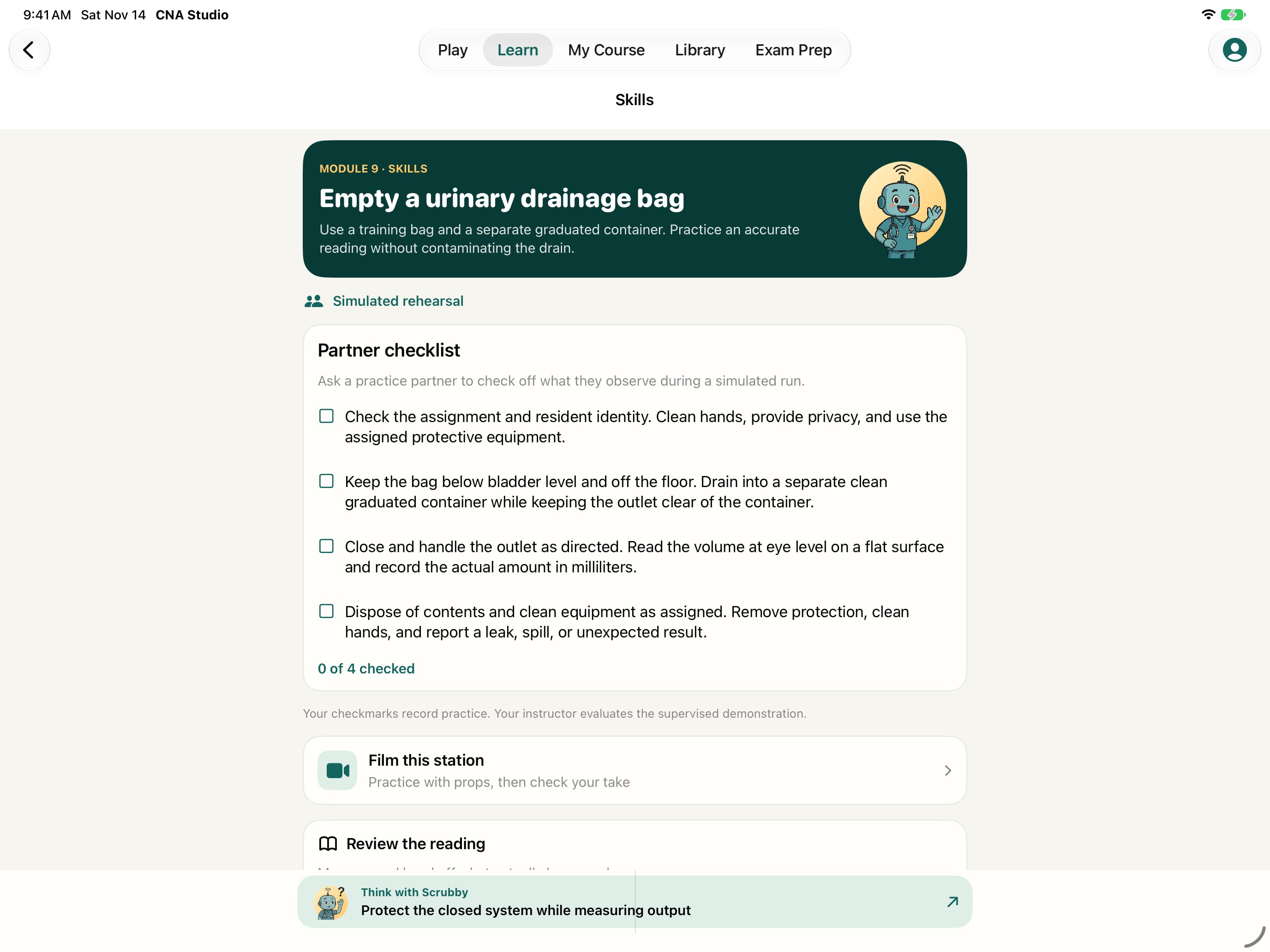
Development preview · Build 1.0 (26)
Work through a skills station
Use a station’s checkpoints to rehearse the steps and explain your reasoning with a partner or instructor.
View full-size screenshot of Work through a skills station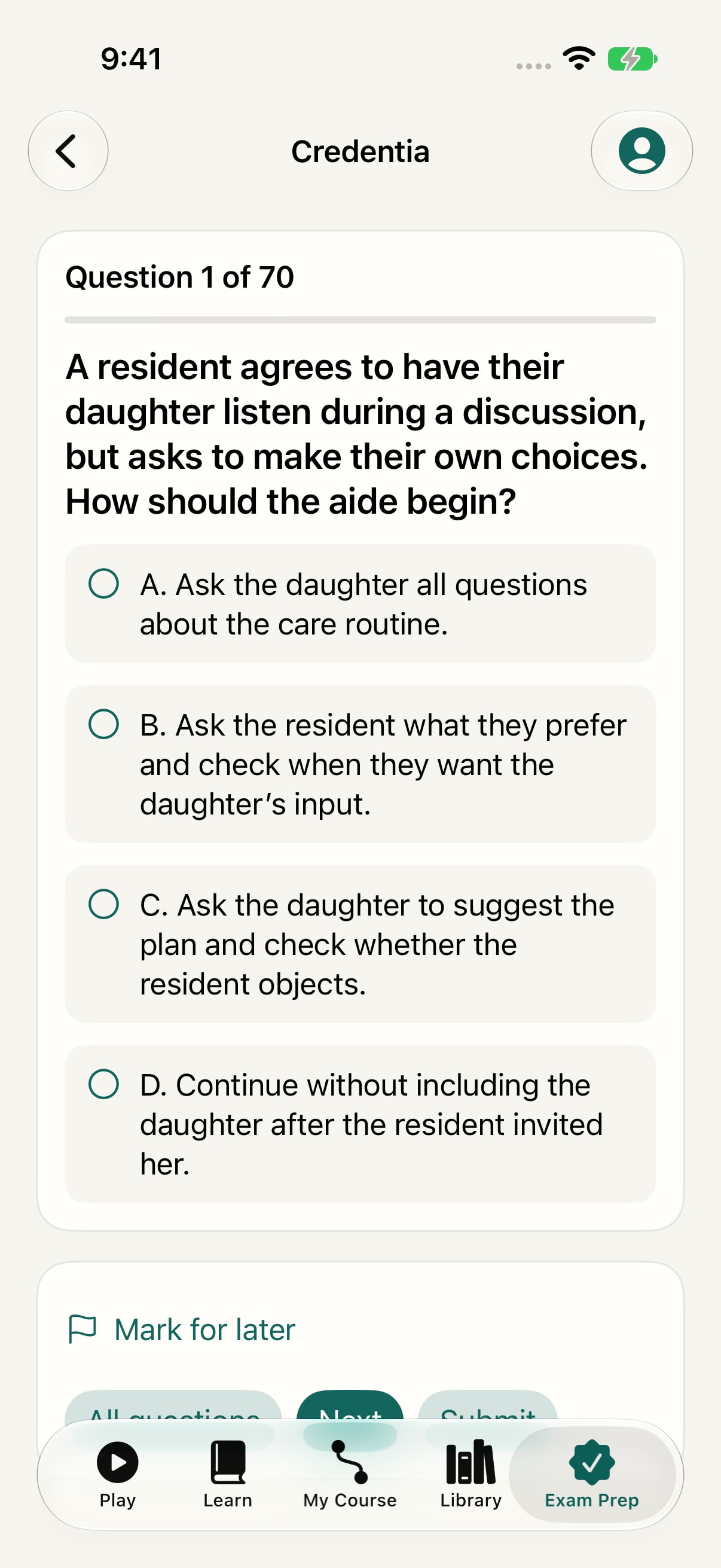
Development preview · Build 1.0 (26)
Rehearse exam questions
Choose a California exam track, try topic drills, or work through a timed written rehearsal.
View full-size screenshot of Rehearse exam questions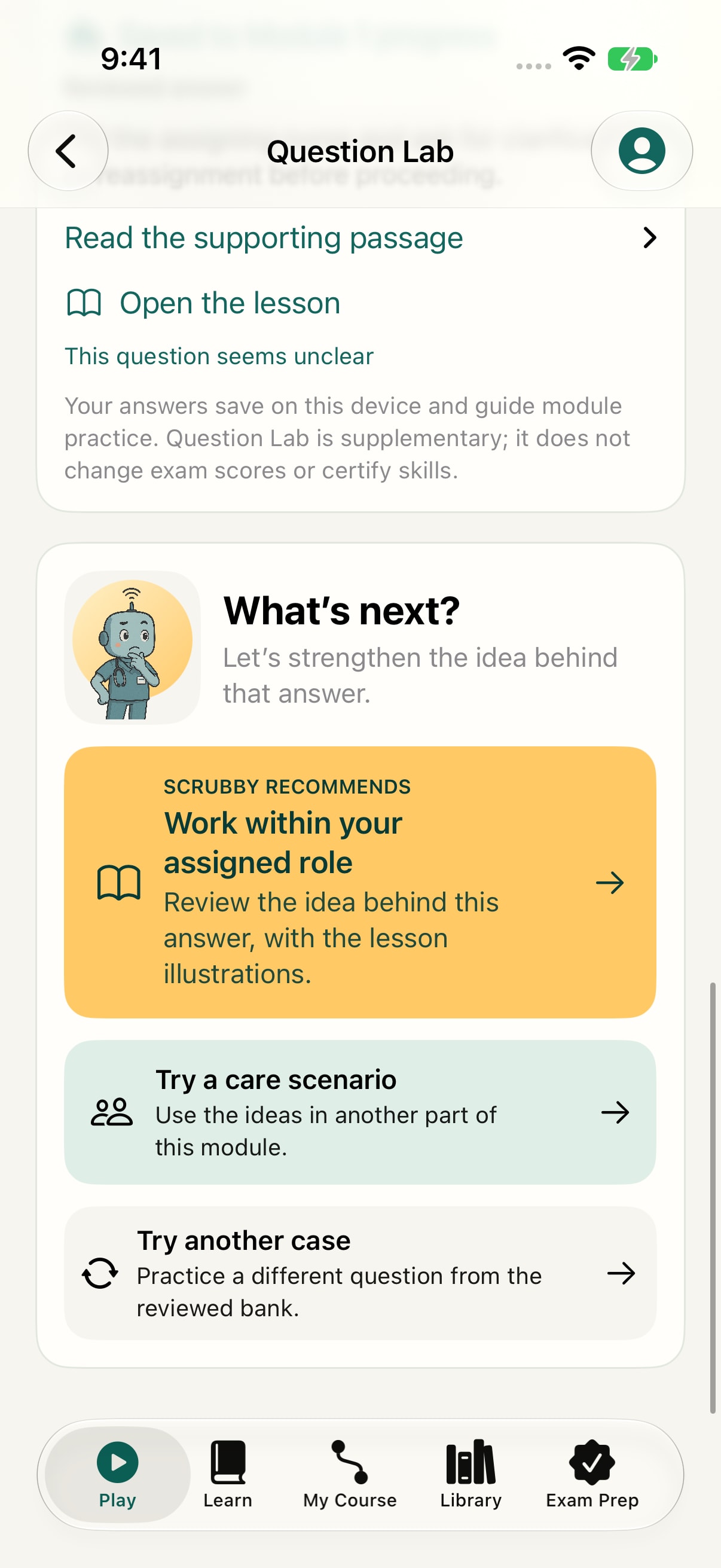
Development preview · Build 1.0 (26)
Choose what to do next
Use the feedback to choose another activity or return to a related reading.
View full-size screenshot of Choose what to do next- Measurement Lab
- Estimate a pulse from a simulated strip and check your result.
- Private rehearsal
- Record and replay a voice or video practice take on your device. Mark a video frame with your finger, or use Apple Pencil on a compatible iPad.
Watch and listen
Watch, listen, and find the passage again.
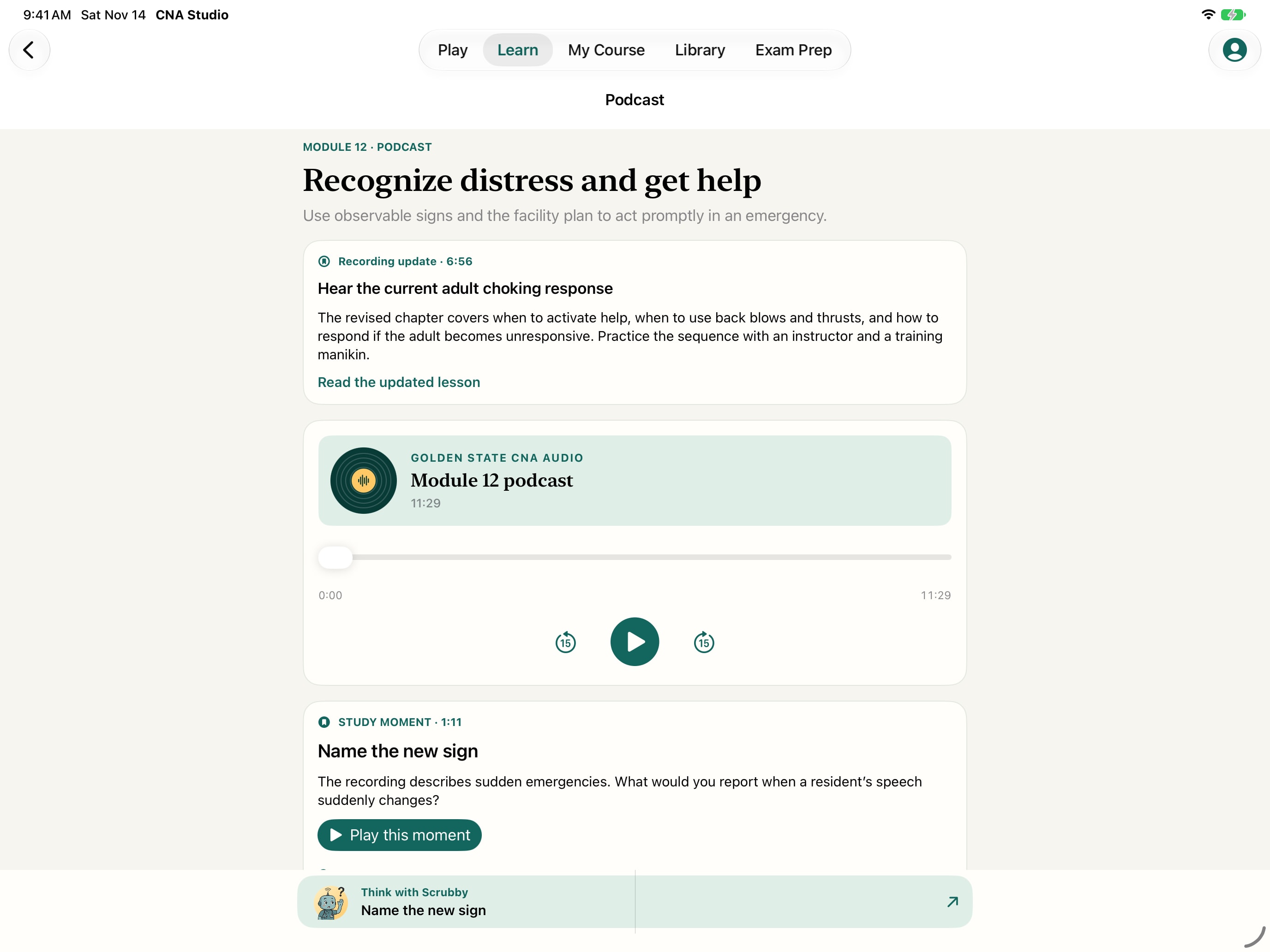
Lessons, videos, and podcasts come with the app. Watch with English captions or search a timestamped transcript to return to the part you want to review.
Development preview · Build 1.0 (26)
Listen to the course
Watch a lesson or listen to a podcast. Use captions and searchable transcripts to revisit a passage.
View full-size screenshot of Listen to the courseUpcoming update · Development preview
Turn each answer into a next step.
Question Lab and the new module insights are in development. The screens below preview how practice can point you to the next reading or idea to revisit.
Development preview · Build 1.0 (26)
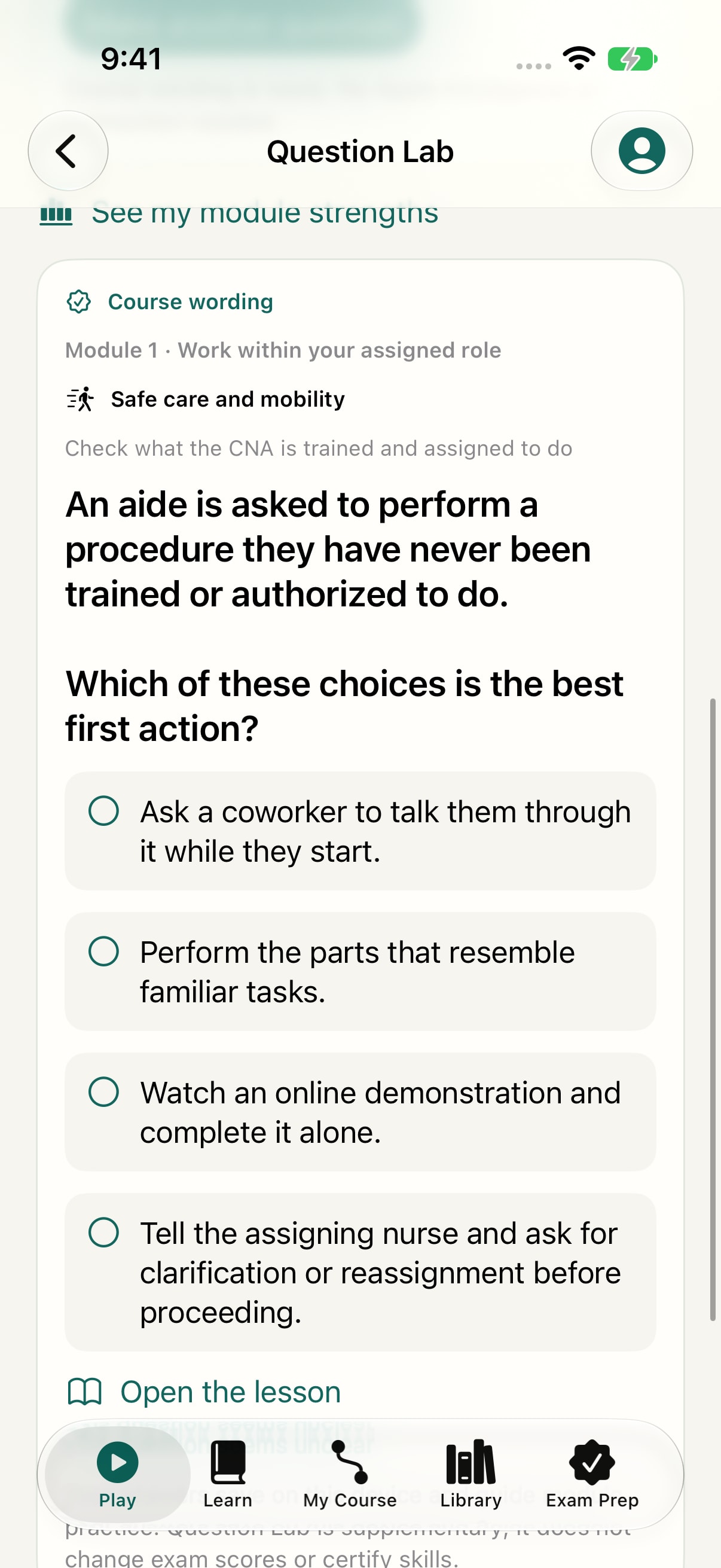
Question Lab
Use course wording to practice cases and explore their explanations. Apple Intelligence is optional.
View full-size screenshot of Question LabKeep practicing with Question Lab.
Choose from 150 reviewed cases with 450 authored wording variations. Make a question, check the explanation, and follow the related reading. Course wording works on supported devices without Apple Intelligence.
Optional Apple Intelligence can select wording on compatible devices when it is ready. Each answer links back to its module, learning objective, and exact reading.
Development preview · Build 1.0 (26)
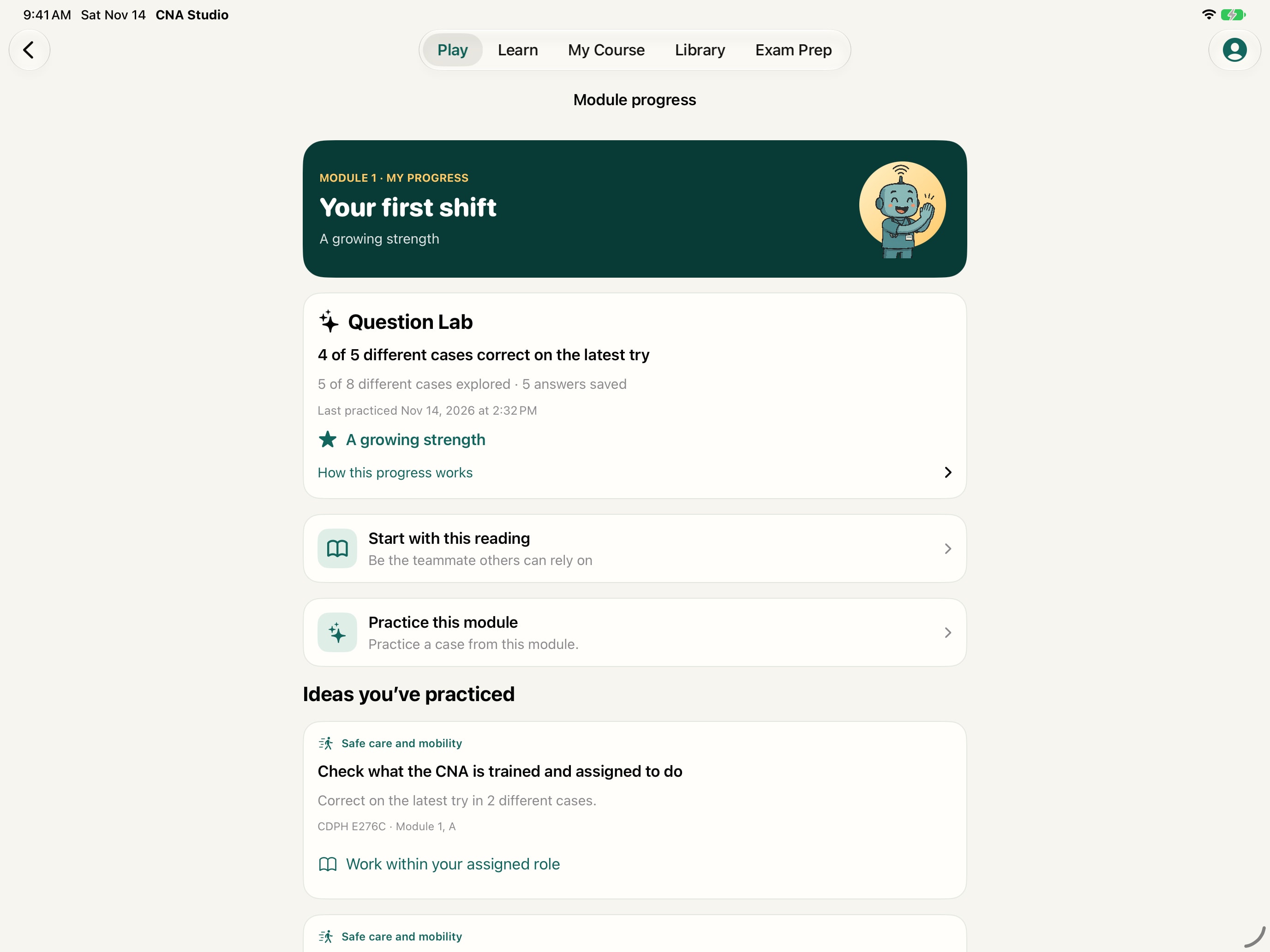
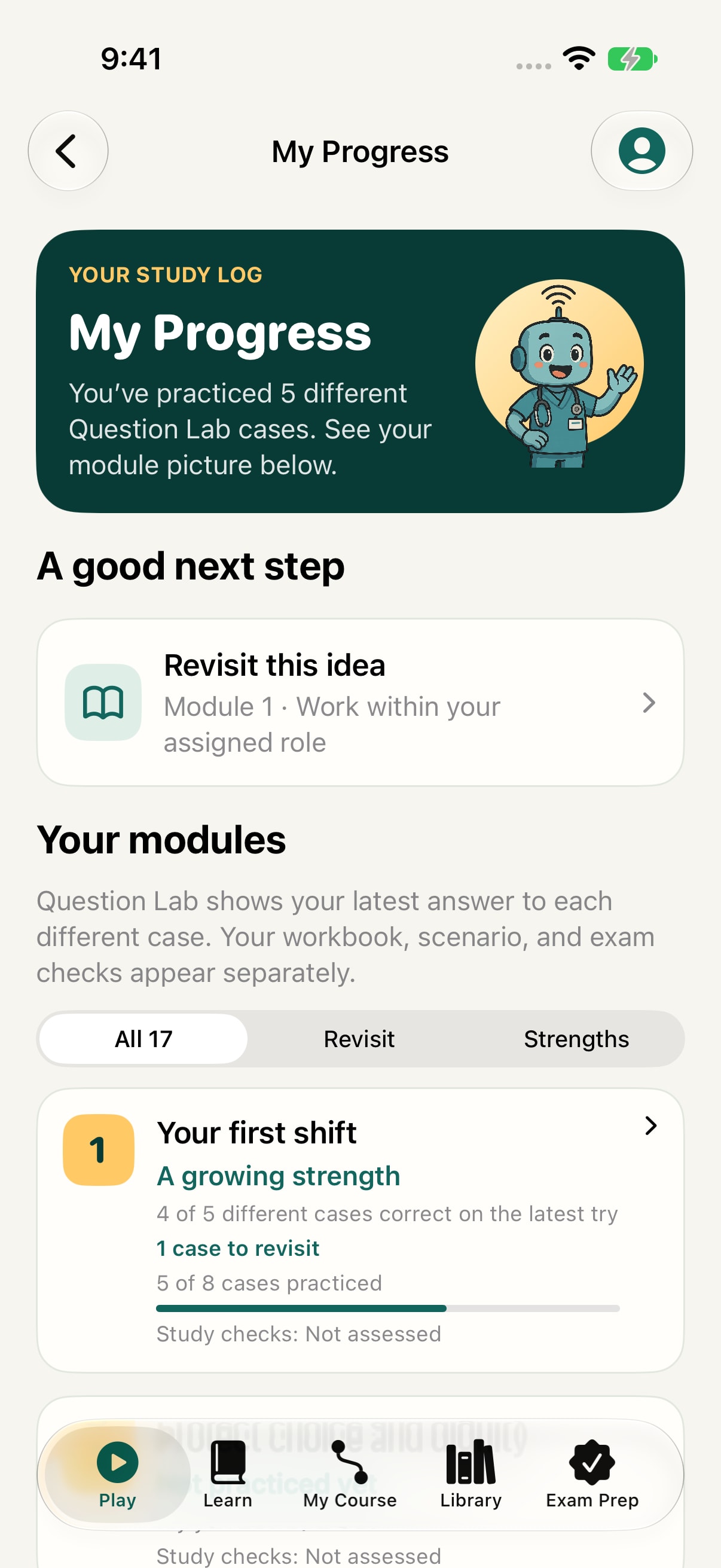
Find a strength and a reading to revisit
This demo learner answered five different cases, with four correct and one missed. The module view connects the practice to a specific reading.
View full-size screenshot of Find a strength and a reading to revisitSee what you’ve practiced.
Module insights show growing strengths and ideas to revisit across the 17-module course. Coverage counts different cases, so rewording a case counts once.
Results stay on your device. These views describe study practice. Formal exam scores and hands-on competency are assessed separately.
Development preview · Build 1.0 (26)
See the whole course
See practice across all 17 modules, with growing strengths and ideas to revisit.
View full-size screenshot of See the whole courseAll progress shown is demo activity from a fresh learner. Resident characters are fictional.
For learners and instructors
Build a path through the course.
- Play
- Start guided practice with Scrubby.
- Learn
- Find the 17 modules and their activities.
- My Course
- Arrange a study path, then share or import a plan for your class.
- Library
- Look up a reading, checklist, or media resource when you need it.
CNA Studio is an independent study companion to use alongside nurse assistant training. Instructors supervise clinical practice and evaluate hands-on competency.
Available now
Start studying with CNA Studio.
The Bedside Coach app family